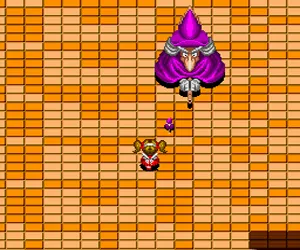
The game loads when you press Play · press “Play Now” inside the game if it asks.
Maerchen Maze (Japan)
Maerchen Maze
Maerchen Maze: TG16 Puzzle
- NEC TURBOGRAFX-16
- Puzzle
- 5· 0 votes
GAME INFO
- Platform
- NEC TURBOGRAFX-16
- Genre
- Puzzle
- Region
- Japan
How to play Maerchen Maze online
Getting Started
When you start Maerchen Maze, you will see a Japanese title screen. Press Start (Enter) to proceed. The game likely presents a menu in Japanese, but selecting the top option usually begins the game. As a maze-based title, your goal is to navigate through a series of rooms or screens, avoiding hazards and possibly collecting items. Movement is controlled with the Arrow Keys, and the A button (X) is used for jump or confirm actions, while the B button (S) might trigger an attack or cancel.
The core loop involves exploring each maze to find an exit or complete an objective, like reaching a certain point or defeating enemies. Pay attention to visual cues, as the game may use symbols or colors to indicate paths or dangers. Since the language barrier can be tricky, trial and error is a valid approach. There is no save feature, so you will need to complete the game in one sitting or use the system's password system if supported.
For new players, start by moving slowly and testing each button's effect. If an enemy appears, try using the B button to attack. Collect any items you see, as they might grant temporary abilities or points. The game is from the early TurboGrafx-16 era, so expect simple graphics and sound that complement the fairytale theme. Persistence and pattern recognition will be your best tools to progress.
CONTROLS
Controls
- Arrow Keys: D-Pad / Movement
- X: I button
- S: II button
- Enter: Run / Start
- V: Select
Maerchen Maze FAQ
Roughly how long does it take to finish Maerchen Maze?
Playtime is not widely documented, but based on typical maze games of the era, a full playthrough likely takes between 30 minutes to an hour, assuming no major difficulty spikes. The exact length depends on the number of levels and the player's familiarity with maze puzzles.
Can players save progress in Maerchen Maze?
The original cartridge does not include a battery-backed save feature. Progress must be completed in one session, though some TurboGrafx-16 games use password systems, which this title may or may not support. Without official documentation, the safest assumption is no save capability.
Who developed Maerchen Maze?
The developer and publisher are not credibly documented in English sources. Maerchen Maze appears to be an obscure Japanese release, and specifics about its creation remain unverified in the Western retro gaming community.
You may also like
All NEC TURBOGRAFX-16 games











GAME INFO
- Platform
- NEC TURBOGRAFX-16
- Genre
- Puzzle
- Region
- Japan
COMMENTS (0)
No comments yet. Be the first to share your thoughts.