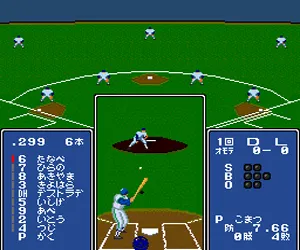
The game loads when you press Play · press “Play Now” inside the game if it asks.
Kore ga Pro Yakyuu '89 (Japan)
Kore ga Pro Yakyuu '89
Kore ga Pro Yakyuu '89 on TG16
- NEC TURBOGRAFX-16
- Sports
- 5· 0 votes
GAME INFO
- Platform
- NEC TURBOGRAFX-16
- Genre
- Sports
- Released
- 1989
- Region
- Japan
How to play Kore ga Pro Yakyuu '89 online
Getting started is straightforward once you know the menu layout. After loading the ROM, you'll see a title screen in Japanese. Use the D-Pad and A button (X key) to navigate. Select "New Game" to choose your team and opponent. If you don't understand the kanji, try picking the first option in each menu - that usually selects the default team or game settings. You can also change innings length or difficulty from the options screen.
The core loop is simple: pitch, field, and bat. When pitching, use the D-Pad to aim and press the A button to throw after selecting a pitch type (shown by icons). When batting, time your swing with the A button as the ball approaches. Fielding is mostly automatic, but you can manually control the nearest fielder after contact. Try to score more runs than the CPU across nine innings. If you want a shorter game, adjust the innings before starting.
Because menus are entirely in Japanese, you will rely on pattern recognition. The game responds to standard TurboGrafx-16 button mapping, so the control reference above works fine. Save progress is not available - it's a one-session arcade-style experience. Don't panic if you accidentally select the wrong option; the start button (Enter) often pauses, and select (V) can back out of some screens.
CONTROLS
Controls
- Arrow Keys: D-Pad / Movement
- X: I button
- S: II button
- Enter: Run / Start
- V: Select
Kore ga Pro Yakyuu '89 FAQ
Who developed Kore ga Pro Yakyuu '89?
The developer of this game is not clearly documented in English sources. It was published in Japan for the PC Engine, but the specific studio that created it remains unconfirmed.
Is Kore ga Pro Yakyuu '89 an official release, a fan hack, a prototype, or another kind of build?
This is an official commercial release. It was sold in retail stores in Japan in 1989 and is not a hack, mod, prototype, or fan game.
Which regions was Kore ga Pro Yakyuu '89 released in?
The game was released exclusively in Japan. It never received a Western localization or re-release on the TurboGrafx-16.
You may also like
All NEC TURBOGRAFX-16 games











GAME INFO
- Platform
- NEC TURBOGRAFX-16
- Genre
- Sports
- Released
- 1989
- Region
- Japan
COMMENTS (0)
No comments yet. Be the first to share your thoughts.