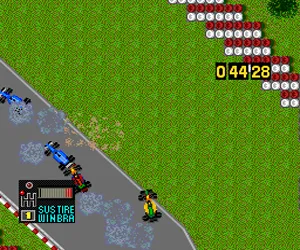
The game loads when you press Play · press “Play Now” inside the game if it asks.
F1 Circus '92 - The Speed of Sound (Japan)
F1 Circus '92 - The Speed of Sound
F1 Circus '92 - The Speed of Sound Overview
- NEC TURBOGRAFX-16
- Racing
- 5· 0 votes
GAME INFO
- Platform
- NEC TURBOGRAFX-16
- Genre
- Racing
- Publisher
- Nihon Bussan
- Developer
- Nihon Bussan
- Released
- 1992
- Players
- 1
- Region
- Japan
How to play F1 Circus '92 - The Speed of Sound online
Getting started: When you boot up F1 Circus '92 - The Speed of Sound, you are greeted by a Japanese-language title screen. Press Start to enter the main menu where you can choose between Grand Prix mode, Time Trial, and options. The menus use kanji but are navigable by trial and error; note that the first option is usually Grand Prix, the second Time Trial, and the third settings.
In Grand Prix mode, you select a team and driver from the 1992 F1 season. You then go through a qualifying session to set your grid position, followed by the race itself. The core loop involves accelerating, braking, and steering through curves while managing tire wear and fuel consumption. The game uses a manual gearbox by default; you can shift up and down with the A and B buttons respectively. During the race, you need to keep an eye on your lap times and the position of rival cars. A pit stop is automatic when you run low on fuel or tires wear out, but you can also trigger it manually by pressing Select mid-lap.
If you are unfamiliar with racing sims from this era, start with Time Trial to learn the tracks and car handling without the pressure of competition. The AI opponents are aggressive but not overly punishing once you learn braking points. Because the game is entirely in Japanese, you may need to reference a track name guide online, but the visual cues and on-screen timers make it playable even without understanding the text.
CONTROLS
Controls
- Arrow Keys: D-Pad / Movement
- X: I button
- S: II button
- Enter: Run / Start
- V: Select
F1 Circus '92 - The Speed of Sound FAQ
Is F1 Circus '92 - The Speed of Sound an official release, a fan hack, a prototype, or another kind of build?
It is an official commercial release for the PC Engine/TurboGrafx-16, published by Nihon Bussan in 1992. It is not a hack, prototype, or fan game.
Is F1 Circus '92 - The Speed of Sound considered easy to pick up or challenging?
Like many simulation-style racing games of its era, it offers a moderate learning curve. Players need to manage car setups and learn track layouts, but basic driving is accessible after a few laps.
Is F1 Circus '92 - The Speed of Sound exclusive to NEC TURBOGRAFX-16 or did it appear on other systems?
This title was released exclusively for the PC Engine (TurboGrafx-16) in Japan. No versions appeared on other consoles or regions.
You may also like
All NEC TURBOGRAFX-16 games











GAME INFO
- Platform
- NEC TURBOGRAFX-16
- Genre
- Racing
- Publisher
- Nihon Bussan
- Developer
- Nihon Bussan
- Released
- 1992
- Players
- 1
- Region
- Japan
COMMENTS (0)
No comments yet. Be the first to share your thoughts.