The game loads when you press Play · press “Play Now” inside the game if it asks.
Battle Ace (Japan)
Battle Ace
Battle Ace - Shooter Classic
- NEC TURBOGRAFX-16
- Shooter
- 5· 0 votes
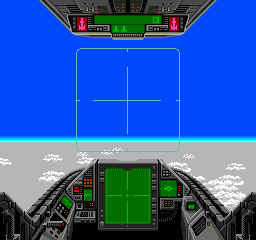
Battle Ace is a vertical scrolling shoot 'em up released in Japan for the NEC TurboGrafx-16 (PC Engine) in the early 1990s. It was one of many arcade-style shooters that populated the platform's library, offering fast-paced action with detailed sprite work. The game remains a notable entry for fans of the genre looking to explore lesser-known Japanese titles.
You take control of a heavily armed helicopter called the Battle Ace, flying upward through scrolling stages filled with enemy aircraft, ground installations, and bosses. The core loop involves blasting anything that moves while collecting power-up items to upgrade your weapons. Weapon types and screen-clearing bombs help you survive increasingly dense attack patterns.
For modern retro enthusiasts, Battle Ace holds appeal as a solid, no-frills shooter that represents the PC Engine's strength in the genre. It's not as famous as games like R-Type or Gradius, but its tight controls and challenging difficulty make it worth a playthrough, especially if you enjoy vertical shooters from the late 80s. The Japanese-only release means menus and text are in Japanese, but the gameplay is intuitive enough to enjoy regardless.
GAME INFO
- Platform
- NEC TURBOGRAFX-16
- Genre
- Shooter
- Publisher
- Hudson Soft
- Developer
- Hudson Soft
- Released
- 1989
- Players
- 1
- Region
- Japan
How to play Battle Ace online
To start playing, press Enter to start the game from the title screen. The game is in Japanese, but the main menu is minimal: press Start to begin. Once in game, use Arrow Keys to move your helicopter around the screen. Press S (B button) to fire your main weapon. Press X (A button) to activate a bomb if you have one. Collect power-up capsules dropped by enemies to increase your firepower. The game scrolls automatically, so focus on dodging enemy fire and targeting incoming waves. There is no continue system beyond losing lives, so practice each stage to memorize enemy patterns. Because the interface is in Japanese, you may need to experiment to navigate menus, but the core gameplay is straightforward.
CONTROLS
Controls
- Arrow Keys: D-Pad / Movement
- X: I button
- S: II button
- Enter: Run / Start
- V: Select
Battle Ace FAQ
Does Battle Ace have a multiplayer or co-op mode?
No multiplayer or co-op mode is included. The game is strictly a single-player experience.
What makes Battle Ace stand out among NEC TURBOGRAFX-16 titles of its era?
Its fast-paced vertical scrolling action and detailed sprite work set it apart from many contemporaneous shooters. The power-up system and screen-clearing bombs add strategic depth to the arcade-style challenge.
Who developed Battle Ace?
The specific developer is not widely documented in English references; the game was released solely in Japan for the PC Engine.
You may also like
All NEC TURBOGRAFX-16 games











GAME INFO
- Platform
- NEC TURBOGRAFX-16
- Genre
- Shooter
- Publisher
- Hudson Soft
- Developer
- Hudson Soft
- Released
- 1989
- Players
- 1
- Region
- Japan
COMMENTS (0)
No comments yet. Be the first to share your thoughts.