CHOOSE A VERSION
3 versions · same consoleChoose an original release, regional version, revision, bootleg or clearly labelled ROM hack/mod, then press Play. Hacks may change the gameplay. Switching versions restarts the player.
Selected: Default · USA · En,Fr,Es · USA
The game loads when you press Play · press “Play Now” inside the game if it asks.
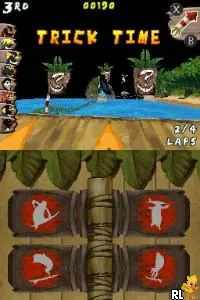
Surf's Up (USA) (En,Fr,Es)
Surf's Up
What is Surf's Up?
- Nintendo DS
- Sports
- 5· 0 votes
GAME INFO
- Platform
- Nintendo DS
- Genre
- Sports
- Publisher
- Ubisoft
- Released
- 2007
- Players
- 1-2
- Region
- USA
How to play Surf's Up online
To get started with Surf's Up, select your character and choose a surfing event. The game progresses through various levels, each representing different surfing locations. Initially, it’s best to familiarize yourself with the controls to perform basic moves and tricks.
The core loop involves riding waves, completing challenges, and scoring points through tricks. As you progress, you can unlock additional characters and locations, which adds to the game's replayability. Pay attention to timing and wave patterns, as mastering these elements will enhance your performance in competitions.
CONTROLS
Controls
- Arrow Keys — D-Pad / Movement
- X — A button
- S — B button
- Z — Y button
- A — X button
- Q — L shoulder
- E — R shoulder
- Enter — Start
- V — Select
Surf's Up FAQ
Who developed Surf's Up?
Ubisoft developed Surf's Up for the Nintendo DS, bringing the animated film's characters and surfing action to life in this handheld title.
Is Surf's Up exclusive to Nintendo DS or did it appear on other systems?
Surf's Up was not exclusive to the Nintendo DS; it was also released on other platforms, including GameCube, PlayStation 2, and Xbox 360, providing a wider audience for its surfing gameplay.
Does Surf's Up have a multiplayer or co-op mode?
The game includes a multiplayer mode, allowing players to compete against each other in surfing challenges, adding a fun competitive element to the experience.
You may also like
All Nintendo DS games











GAME INFO
- Platform
- Nintendo DS
- Genre
- Sports
- Publisher
- Ubisoft
- Released
- 2007
- Players
- 1-2
- Region
- USA
COMMENTS (0)
No comments yet. Be the first to share your thoughts.