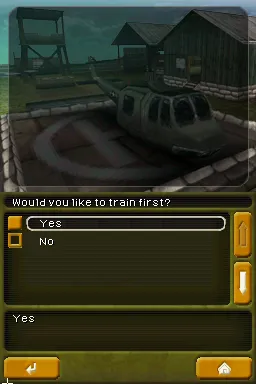
Call of Duty - Black Ops (USA)
What is Call of Duty - Black Ops (USA)?
Call of Duty - Black Ops for the Nintendo DS is a first-person shooter that was released in 2010. Developed by n-Space, this game is part of the popular Call of Duty franchise, known for its intense combat and immersive gameplay. While the series is typically associated with more powerful consoles, this handheld version aimed to bring the core experience to a portable platform, catering to fans on the go.
In this game, players engage in a series of military missions that are presented through a campaign mode. The gameplay involves navigating environments, completing objectives, and engaging in combat with enemy forces. The controls are designed to utilize the DS's unique features, allowing players to aim and shoot while managing their inventory and health. The game also includes multiplayer modes, enhancing its replay value through competitive play.
What makes Call of Duty - Black Ops on the DS noteworthy is its attempt to distill the franchise's hallmark gameplay into a more accessible format. While it may not have the same depth or graphical fidelity as its console counterparts, it offers a solid portable experience for fans of shooters. In the context of DS games, it stands out as a notable entry in the action genre, particularly for those who appreciate military-themed games and the Call of Duty legacy.
How to Play Call of Duty - Black Ops (USA) Online
Getting started in Call of Duty - Black Ops involves selecting the campaign mode or multiplayer option from the main menu. Players will typically begin with a tutorial or introductory mission that helps familiarize them with the controls and objectives. As you progress, expect to complete various missions that require strategic thinking and quick reflexes.
The core gameplay loop revolves around completing missions, earning upgrades, and unlocking new weapons. Players will face different enemy types and scenarios that require adaptability and skill. Knowing when to engage in combat and when to take cover is crucial, especially on higher difficulty levels. Familiarize yourself with the weapon mechanics and controls to maximize your effectiveness in the game.
Call of Duty - Black Ops (USA) Keyboard Controls
Controls
- Arrow Keys — D-Pad / Movement
- X — A button
- S — B button
- Z — Y button
- A — X button
- Q — L shoulder
- E — R shoulder
- Enter — Start
- V — Select


Comments (0)