CHOOSE A VERSION
3 versions · same consoleChoose an original release, regional version, revision, bootleg or clearly labelled ROM hack/mod, then press Play. Hacks may change the gameplay. Switching versions restarts the player.
Selected: Default · USA · En,Fr,De,Es,It · USA
The game loads when you press Play · press “Play Now” inside the game if it asks.
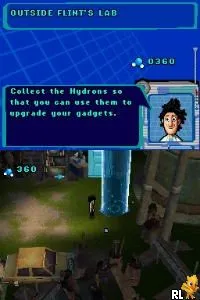
Cloudy with a Chance of Meatballs (USA) (En,Fr,De,Es,It)
Cloudy with a Chance of Meatballs
Cloudy with a Chance of Meatballs: NDS Action
- Nintendo DS
- Action
- 5· 0 votes
GAME INFO
- Platform
- Nintendo DS
- Genre
- Action
- Publisher
- Ubisoft
- Developer
- Sony Interactive Entertainment
- Released
- 2009
- Players
- 1
- Region
- USA
How to play Cloudy with a Chance of Meatballs online
To get started in Cloudy with a Chance of Meatballs, players will first select their desired language and then begin the game. The core loop involves navigating through levels, overcoming enemies, and solving environmental puzzles. Collecting food items is essential as they can aid in progressing through levels and unlocking new areas.
CONTROLS
Controls
- Arrow Keys — D-Pad / Movement
- X — A button
- S — B button
- Z — Y button
- A — X button
- Q — L shoulder
- E — R shoulder
- Enter — Start
- V — Select
Cloudy with a Chance of Meatballs FAQ
Who developed Cloudy with a Chance of Meatballs?
Information about the specific developer of this game is not widely documented.
Can players save progress in Cloudy with a Chance of Meatballs?
The game allows players to save their progress, typically using the Nintendo DS's built-in save feature, which is common for titles on this platform.
Is Cloudy with a Chance of Meatballs exclusive to Nintendo DS or did it appear on other systems?
Cloudy with a Chance of Meatballs was released on multiple platforms, including Nintendo DS, Wii, and PlayStation Portable, making it accessible to a wider audience.
You may also like
All Nintendo DS games











GAME INFO
- Platform
- Nintendo DS
- Genre
- Action
- Publisher
- Ubisoft
- Developer
- Sony Interactive Entertainment
- Released
- 2009
- Players
- 1
- Region
- USA
COMMENTS (0)
No comments yet. Be the first to share your thoughts.