The game loads when you press Play · press “Play Now” inside the game if it asks.
Worms Armageddon (Europe) (En,Fr,De,Es,It,Nl)
Worms Armageddon
Worms Armageddon on N64
- Nintendo 64
- Strategy
- 5· 0 votes
Worms Armageddon (Europe) (En,Fr,De,Es,It,Nl) is a turn-based strategy game released for the Nintendo 64. Developed by Team17, it launched in 1999, bringing the beloved Worms franchise to the console. This installment is known for its colorful graphics and humorous gameplay, making it a fan favorite in the genre during the late '90s.
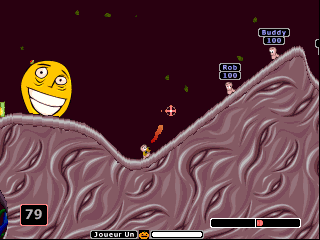
In Worms Armageddon, players control a team of worms armed with a variety of weapons to eliminate opposing teams. Each turn allows players to move their worms and choose from an arsenal that includes grenades, bazookas, and airstrikes. The game is played on destructible terrain, adding a layer of strategy as players must consider the landscape while planning their attacks and defenses.
This title remains a classic due to its unique blend of strategy, humor, and chaotic gameplay. The multiplayer aspect allows for engaging battles against friends, while the single-player mode offers challenges that test players' tactical skills. Compared to other strategy games of its era, Worms Armageddon stands out for its cartoonish style and accessible mechanics, making it a nostalgic experience worth revisiting today.
GAME INFO
- Platform
- Nintendo 64
- Genre
- Strategy
- Publisher
- Atari
- Developer
- Team17
- Released
- 1999
- Players
- 1-4
- Region
- Europe
How to play Worms Armageddon online
Getting started in Worms Armageddon involves selecting your team and the battlefield. Players can choose from various game modes, including deathmatch and training. Once in the game, the core loop revolves around taking turns to move your worms and use weapons effectively to defeat the enemy team.
Understanding the terrain is crucial as it affects movement and weapon effectiveness. Players should experiment with different weapons and tactics to find their preferred play style. As battles unfold, adapting to the changing landscape and the opponent's strategies will enhance the gaming experience.
CONTROLS
Controls
- Arrow Keys — D-Pad / Movement
- X — A button
- S — B button
- Z — Z trigger
- A — C-Down
- Q — L shoulder
- E — R shoulder
- Enter — Start
Worms Armageddon FAQ
Is Worms Armageddon exclusive to Nintendo 64 or did it appear on other systems?
Worms Armageddon was not exclusive to the Nintendo 64. It has been released on multiple platforms, including PC and PlayStation, broadening its audience.
Is there anything iconic or memorable about Worms Armageddon?
The game's quirky humor and unique art style have made it iconic among fans. Its turn-based mechanics combined with a variety of weapons and destructible environments create memorable gameplay moments.
Who developed Worms Armageddon?
Worms Armageddon was developed by Team17, a studio well-known for its work on the Worms series and other popular titles.
You may also like
All Nintendo 64 games











GAME INFO
- Platform
- Nintendo 64
- Genre
- Strategy
- Publisher
- Atari
- Developer
- Team17
- Released
- 1999
- Players
- 1-4
- Region
- Europe
COMMENTS (0)
No comments yet. Be the first to share your thoughts.