CHOOSE A VERSION
3 versions · same consoleChoose an original release, regional version, revision, bootleg or clearly labelled ROM hack/mod, then press Play. Hacks may change the gameplay. Switching versions restarts the player.
Selected: Default · USA · USA
The game loads when you press Play · press “Play Now” inside the game if it asks.
Top Gear Hyper-Bike (USA)
Top Gear Hyper-Bike
Top Gear Hyper-Bike: N64 Racing
- Nintendo 64
- Racing
- 5· 0 votes
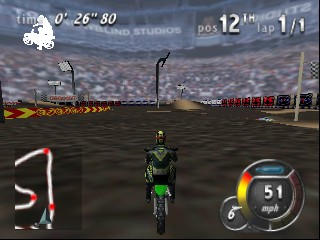
Top Gear Hyper-Bike (USA) is an arcade-style racing game released for the Nintendo 64. It was developed during the late 1990s, a time when the genre was thriving on various platforms. Players engage in high-speed motorcycle racing, a concept that fits well within the era's focus on competitive racing games.
In the game, players race against opponents on various tracks with a focus on speed and maneuverability. The mechanics typically involve navigating through challenging courses while avoiding obstacles and utilizing power-ups. Players can choose from different bikes, each with unique attributes, adding a layer of strategy to the racing experience.
This title is worth exploring for fans of retro racing games, especially those who appreciate the unique charm of the Nintendo 64 library. While it may not have the same level of recognition as other racing titles from the era, it offers a straightforward and enjoyable racing experience. Its simplicity can be refreshing, making it a good choice for casual gaming sessions or for those looking to revisit the nostalgia of 90s gaming.
GAME INFO
- Platform
- Nintendo 64
- Genre
- Racing
- Players
- 1-2
- Region
- USA
How to play Top Gear Hyper-Bike online
To get started with Top Gear Hyper-Bike, first select your bike and the track you want to race on. The game allows you to choose from various options, each impacting your racing style. Once you've made your selections, you'll be thrown into the fast-paced world of motorcycle racing.
Gameplay revolves around racing against opponents while navigating tight turns and utilizing power-ups. Mastering the controls is crucial for success, especially in avoiding obstacles and maintaining speed. Focus on learning the tracks, as each has its own unique challenges. Engaging with the mechanics early will help you develop a competitive edge as you progress through the races.
CONTROLS
Controls
- Arrow Keys — D-Pad / Movement
- X — A button
- S — B button
- Z — Z trigger
- A — C-Down
- Q — L shoulder
- E — R shoulder
- Enter — Start
Top Gear Hyper-Bike FAQ
What type of game is Top Gear Hyper-Bike?
An arcade-style racing game that focuses on high-speed motorcycle racing with various tracks and opponents.
Is Top Gear Hyper-Bike exclusive to Nintendo 64 or did it appear on other systems?
This title is specifically released for the Nintendo 64 and does not appear on other systems.
Is Top Gear Hyper-Bike an official release, a fan hack, a prototype, or another kind of build?
Top Gear Hyper-Bike is an official release for the Nintendo 64 and not a fan hack or prototype.
You may also like
All Nintendo 64 games











GAME INFO
- Platform
- Nintendo 64
- Genre
- Racing
- Players
- 1-2
- Region
- USA
COMMENTS (0)
No comments yet. Be the first to share your thoughts.