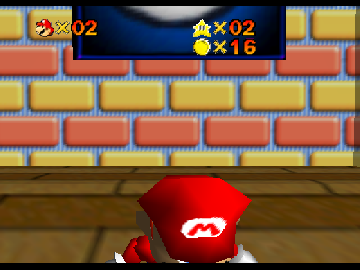
The game loads when you press Play · press “Play Now” inside the game if it asks.
The Octember Project
The Octember Project
About The Octember Project
- Nintendo 64
- Platformer
- Homebrew
- 5· 0 votes
The Octember Project is a homebrew title for the Nintendo 64, a platform known for its 3D graphics and innovative gameplay during the late 90s. As a fan-made project, it showcases the creativity and dedication of retro gaming enthusiasts. While it may not have the polish of commercial releases, it adds a unique touch to the N64 library that collectors and players appreciate.
In this game, players navigate through various levels, engaging in platforming challenges that require timing and skill. The core mechanics involve jumping, running, and overcoming obstacles, which are staples of the platforming genre. While specific details about the levels may vary, the gameplay typically emphasizes exploration and precision, inviting players to master their controls as they progress.
What makes The Octember Project worth trying is its nostalgic appeal for those who enjoy retro gaming and homebrew creations. It represents a niche segment of the Nintendo 64 library, showcasing how dedicated fans can create new experiences on classic hardware. While it may not compete with well-known titles, it offers a glimpse into the creativity of the community and the enduring love for the platform.
GAME INFO
- Platform
- Nintendo 64
- Genre
- Platformer
How to play The Octember Project online
Getting started with The Octember Project involves familiarizing yourself with the game controls mentioned above. Once you're set, begin by selecting the game mode from the main menu, which will likely be in Japanese, so a basic understanding of navigation will help. As you dive into the gameplay, focus on timing your jumps and movements to navigate the levels successfully.
The core loop consists of traversing levels, overcoming obstacles, and collecting items or power-ups along the way. Be prepared to retry sections as you learn the layout and timing of jumps. Observing enemy patterns and level design will aid in mastering each stage, making the gameplay experience rewarding as you improve your skills.
CONTROLS
Controls
- Arrow Keys — D-Pad / Movement
- X — A button
- S — B button
- Z — Z trigger
- A — C-Down
- Q — L shoulder
- E — R shoulder
- Enter — Start
The Octember Project FAQ
Which regions was The Octember Project released in?
Information about the regional release of The Octember Project is not widely documented, but it is primarily known as a homebrew title.
What type of game is The Octember Project?
This title is categorized as a homebrew platformer, featuring mechanics typical of the genre such as jumping and navigating through levels.
Is The Octember Project exclusive to Nintendo 64 or did it appear on other systems?
The Octember Project is specifically designed for the Nintendo 64 and has not been reported to appear on other systems.
You may also like
All Nintendo 64 games











GAME INFO
- Platform
- Nintendo 64
- Genre
- Platformer
COMMENTS (0)
No comments yet. Be the first to share your thoughts.