The game loads when you press Play · press “Play Now” inside the game if it asks.
The Hole to Hyrule
The Hole to Hyrule
The Hole to Hyrule Overview
- Nintendo 64
- Adventure
- ROM Hack
- 5· 0 votes
Unofficial ROM hack. The notes below come from community sources and have not been verified against the patch itself, so levels, mechanics and features may differ from what is described.
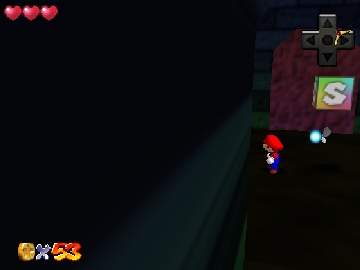
The Hole to Hyrule is a fan-made ROM hack for the Nintendo 64, inspired by the iconic Legend of Zelda series. It showcases the creativity of the retro gaming community, allowing players to explore a unique take on the beloved franchise. This title draws from the action-adventure genre that defined many games of its era, offering a nostalgic experience for fans of classic gaming.
In this hack, players navigate through various environments reminiscent of the Zelda universe, solving puzzles and battling enemies along the way. The gameplay mechanics are likely similar to traditional Zelda titles, featuring exploration, item collection, and combat. While specific details about characters and story are not widely documented, the core essence of adventure and discovery is present, encouraging players to uncover secrets and complete quests.
The Hole to Hyrule is worth a try for those who appreciate fan creations and enjoy exploring different interpretations of classic games. While it may not have the polish of official releases, its charm lies in the community-driven effort to expand the Zelda universe. Fans of ROM hacks or those looking to experience a fresh take on familiar mechanics will find something appealing in this unique title.
GAME INFO
- Platform
- Nintendo 64
- Genre
- Adventure
- Players
- 1
How to play The Hole to Hyrule online
Getting started in The Hole to Hyrule involves familiarizing yourself with the controls and the game’s layout. Once you begin, you’ll explore a world filled with various challenges, puzzles, and enemies. The core loop typically involves moving from one area to another, solving puzzles to unlock new paths, and engaging in combat with foes you encounter.
As you progress, pay attention to the items you collect and how they can aid your adventure. There may be specific areas that require certain items to access, which is a common mechanic in adventure games. If you encounter menus in Japanese, navigation might be a bit tricky, but focusing on visual cues can help you understand your objectives.
CONTROLS
Controls
- Arrow Keys — D-Pad / Movement
- X — A button
- S — B button
- Z — Z trigger
- A — C-Down
- Q — L shoulder
- E — R shoulder
- Enter — Start
The Hole to Hyrule FAQ
Which regions was The Hole to Hyrule released in?
The specific regions for The Hole to Hyrule's release are not widely documented, but it is primarily known as a fan-made hack.
Is The Hole to Hyrule exclusive to Nintendo 64 or did it appear on other systems?
This title is a ROM hack specifically designed for the Nintendo 64 and has not been officially released on any other systems.
Does The Hole to Hyrule have a multiplayer or co-op mode?
There is no known multiplayer or co-op mode in The Hole to Hyrule, as it is primarily designed for single-player exploration and adventure.
You may also like
All Nintendo 64 games











GAME INFO
- Platform
- Nintendo 64
- Genre
- Adventure
- Players
- 1
COMMENTS (0)
No comments yet. Be the first to share your thoughts.