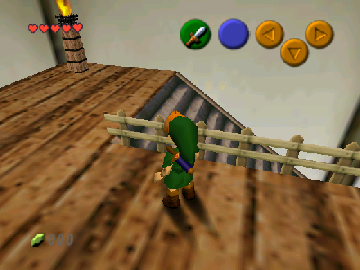
The game loads when you press Play · press “Play Now” inside the game if it asks.
The Fate of the Bombiwa
The Fate of the Bombiwa
The Fate of the Bombiwa on N64
- Nintendo 64
- Platformer
- Homebrew
- 5· 0 votes
GAME INFO
- Platform
- Nintendo 64
- Genre
- Platformer
- Players
- 1
- Region
- Japan
How to play The Fate of the Bombiwa online
To get started in The Fate of the Bombiwa, begin by familiarizing yourself with the controls listed above. Once you're comfortable, you can start a new game and dive into the levels. Collect items and defeat enemies as you progress through the stages, aiming to reach the end of each level.
The gameplay typically involves platforming elements such as jumping and running while navigating through obstacles. As you play, focus on mastering the timing for jumps and attacks to effectively deal with enemies and challenges. Since this game is a homebrew title, expect some quirks and unique mechanics that differ from more polished commercial releases.
CONTROLS
Controls
- Arrow Keys — D-Pad / Movement
- X — A button
- S — B button
- Z — Z trigger
- A — C-Down
- Q — L shoulder
- E — R shoulder
- Enter — Start
The Fate of the Bombiwa FAQ
Who developed The Fate of the Bombiwa?
The specific developer of The Fate of the Bombiwa is not widely documented, but it is known to be a homebrew creation by a dedicated group of enthusiasts.
What makes The Fate of the Bombiwa stand out among Nintendo 64 titles of its era?
This game stands out due to its status as a homebrew title, showcasing the creativity and passion of the retro gaming community. It offers a unique perspective on platforming gameplay that differs from mainstream titles of the time.
Is The Fate of the Bombiwa an official release, a fan hack, a prototype, or another kind of build?
The Fate of the Bombiwa is categorized as a homebrew game, which means it is not an official release but rather a project created by fans of the genre.
You may also like
All Nintendo 64 games











GAME INFO
- Platform
- Nintendo 64
- Genre
- Platformer
- Players
- 1
- Region
- Japan
COMMENTS (0)
No comments yet. Be the first to share your thoughts.