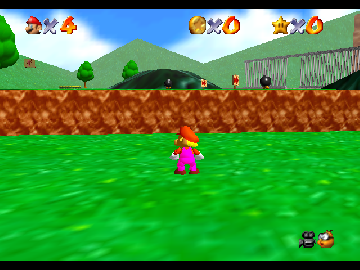
The game loads when you press Play · press “Play Now” inside the game if it asks.
Super SMN5 64 dumb
Super SMN5 64 dumb
What is Super SMN5 64 dumb?
- Nintendo 64
- Platformer
- ROM Hack
- 5· 0 votes
Unofficial ROM hack. The notes below come from community sources and have not been verified against the patch itself, so levels, mechanics and features may differ from what is described.
Super SMN5 64 dumb is a fan-made hack for the Nintendo 64, which draws from the popular Super Mario franchise. Released in a retro gaming context, this title showcases the creativity of the community surrounding classic games. Such hacks were common during the N64 era, allowing fans to modify existing titles to create new experiences or humorous takes on beloved games.
In this game, players navigate through a series of levels reminiscent of traditional platforming adventures. The mechanics likely involve jumping, running, and interacting with various elements, similar to other platformers of its time. While specific details about characters and power-ups are not widely documented, the structure typically includes overcoming obstacles, defeating enemies, and reaching the end of each level.
What makes Super SMN5 64 dumb interesting today is its place within the larger context of fan-created content. While it may not hold the same weight as official releases, it reflects the nostalgia and passion of retro gaming enthusiasts. For players looking to explore a lighthearted and unconventional take on a familiar franchise, this title is worth a try, especially for those who appreciate the DIY spirit of gaming culture.
GAME INFO
- Platform
- Nintendo 64
- Genre
- Platformer
How to play Super SMN5 64 dumb online
Getting started with Super SMN5 64 dumb involves familiarizing yourself with the controls and the layout of the game. As you begin, you'll typically find yourself in a starting area, ready to jump into the levels. The core gameplay loop revolves around navigating through platforming challenges, defeating enemies, and collecting items along the way.
You'll want to explore each level thoroughly, using your jump and run abilities to overcome obstacles. Keep an eye out for any special items or power-ups that might aid your progress. If you're playing a version with Japanese menus, take some time to learn basic navigation cues, as this can enhance your overall experience.
CONTROLS
Controls
- Arrow Keys — D-Pad / Movement
- X — A button
- S — B button
- Z — Z trigger
- A — C-Down
- Q — L shoulder
- E — R shoulder
- Enter — Start
Super SMN5 64 dumb FAQ
Who developed Super SMN5 64 dumb?
The developer information for Super SMN5 64 dumb is not widely documented, so specific details about its creator are not available.
Is Super SMN5 64 dumb an official release, a fan hack, a prototype, or another kind of build?
This title is classified as a fan hack, which means it was created by enthusiasts rather than an official game studio.
Is Super SMN5 64 dumb exclusive to Nintendo 64 or did it appear on other systems?
There is no evidence to suggest that Super SMN5 64 dumb was released on platforms other than the Nintendo 64, indicating it is likely exclusive to that system.
You may also like
All Nintendo 64 games











GAME INFO
- Platform
- Nintendo 64
- Genre
- Platformer
COMMENTS (0)
No comments yet. Be the first to share your thoughts.