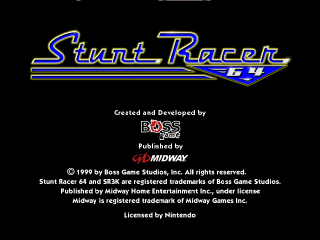
The game loads when you press Play · press “Play Now” inside the game if it asks.
Stunt Racer 64 (USA)
Stunt Racer 64
Getting to Know Stunt Racer 64
- Nintendo 64
- Racing
- 5· 0 votes
Stunt Racer 64 is a racing game released for the Nintendo 64, providing a blend of arcade-style racing with stunts. It was developed by a team that is not widely documented and is known for its unique take on the racing genre. Players control vehicles on a variety of tracks, competing against each other or the clock in a colorful, whimsical environment.
In Stunt Racer 64, players engage in races where performing stunts is just as important as speed. The game features an array of vehicles, each with different attributes that affect gameplay. Tracks are designed with ramps and obstacles that encourage players to pull off tricks while navigating the course, making for a thrilling experience that combines traditional racing elements with acrobatic flair.
This title is worth exploring for those who appreciate the charm of the Nintendo 64 era and its unique approach to racing games. While it may not have the same level of recognition as classics like Mario Kart 64, it offers a fun alternative for players seeking a different kind of racing challenge. Its focus on stunts and playful graphics gives it a niche appeal, making it a pleasant addition to any retro gaming collection.
GAME INFO
- Platform
- Nintendo 64
- Genre
- Racing
- Publisher
- Midway Games
- Developer
- Boss Game Studios
- Released
- 2000
- Players
- 1-2
- Region
- USA
How to play Stunt Racer 64 online
Getting started with Stunt Racer 64 involves selecting your vehicle and track from the main menu. Once in the race, focus on mastering the controls to navigate the course effectively. Stunts can be performed by hitting ramps and using the jump button, adding an extra layer of excitement to each race.
The core loop consists of racing against opponents while trying to perform stunts to gain an edge. Collect power-ups and maintain speed while keeping an eye on the track layout, as different tracks will present unique challenges. Understanding your vehicle's handling will help you adjust your strategy and improve your performance.
CONTROLS
Controls
- Arrow Keys — D-Pad / Movement
- X — A button
- S — B button
- Z — Z trigger
- A — C-Down
- Q — L shoulder
- E — R shoulder
- Enter — Start
Stunt Racer 64 FAQ
What type of game is Stunt Racer 64?
This game is a racing title that incorporates stunts and arcade-style gameplay, allowing players to perform tricks while racing.
Is Stunt Racer 64 exclusive to Nintendo 64 or did it appear on other systems?
Stunt Racer 64 is exclusive to the Nintendo 64 and did not appear on any other systems.
Who developed Stunt Racer 64?
The developer of Stunt Racer 64 is not widely documented, making specific information about the development team difficult to find.
You may also like
All Nintendo 64 games











GAME INFO
- Platform
- Nintendo 64
- Genre
- Racing
- Publisher
- Midway Games
- Developer
- Boss Game Studios
- Released
- 2000
- Players
- 1-2
- Region
- USA
COMMENTS (0)
No comments yet. Be the first to share your thoughts.