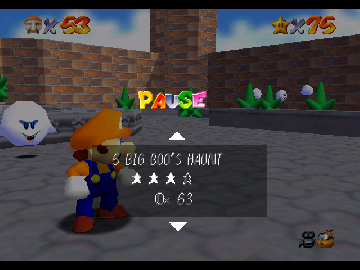
The game loads when you press Play · press “Play Now” inside the game if it asks.
Sad Sponge 64
Sad Sponge 64
What is Sad Sponge 64?
- Nintendo 64
- Platformer
- Fan Game
- 5· 0 votes
Unofficial fan game. The notes below come from community sources and have not been verified against the patch itself, so levels, mechanics and features may differ from what is described.
GAME INFO
- Platform
- Nintendo 64
- Genre
- Platformer
How to play Sad Sponge 64 online
CONTROLS
Controls
- Arrow Keys — D-Pad / Movement
- X — A button
- S — B button
- Z — Z trigger
- A — C-Down
- Q — L shoulder
- E — R shoulder
- Enter — Start
Sad Sponge 64 FAQ
Who developed Sad Sponge 64?
The developer information for Sad Sponge 64 is not widely documented, as it is a fan-made game and does not have the same level of recognition as commercial titles.
In what year was Sad Sponge 64 originally released?
The release year for Sad Sponge 64 is not widely documented, making it difficult to provide a specific date for its availability.
Is Sad Sponge 64 exclusive to Nintendo 64 or did it appear on other systems?
Sad Sponge 64 is primarily known as a Nintendo 64 title and has not been officially released on other systems. Its status as a fan-made game means it is likely limited to the N64 platform.
You may also like
All Nintendo 64 games











GAME INFO
- Platform
- Nintendo 64
- Genre
- Platformer
COMMENTS (0)
No comments yet. Be the first to share your thoughts.