CHOOSE A VERSION
2 versions · same consoleChoose an original release, regional version, revision, bootleg or clearly labelled ROM hack/mod, then press Play. Hacks may change the gameplay. Switching versions restarts the player.
Selected: Default · USA · USA
The game loads when you press Play · press “Play Now” inside the game if it asks.
Re-Volt (USA)
Re-Volt
About Re-Volt
- Nintendo 64
- Racing
- 5· 0 votes
GAME INFO
- Platform
- Nintendo 64
- Genre
- Racing
- Developer
- Acclaim Studios London
- Released
- 1999
- Players
- 1-2
- Region
- USA
How to play Re-Volt online
CONTROLS
Controls
- Arrow Keys — D-Pad / Movement
- X — A button
- S — B button
- Z — Z trigger
- A — C-Down
- Q — L shoulder
- E — R shoulder
- Enter — Start
Re-Volt FAQ
Who developed Re-Volt?
The game was developed by Acclaim Entertainment, which was known for creating a variety of titles during the late 90s.
What makes Re-Volt stand out among Nintendo 64 titles of its era?
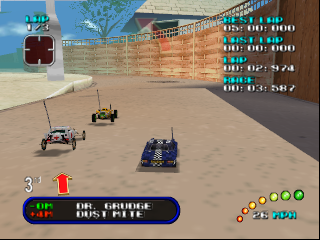
Re-Volt is unique for its focus on racing remote-controlled cars in whimsical environments, offering a different take on the racing genre compared to more traditional titles available on the N64.
Roughly how long does it take to finish Re-Volt?
Completing the main content of Re-Volt may take around 6 to 10 hours, depending on the player's skill level and whether they explore all the tracks and vehicles available.
You may also like
All Nintendo 64 games











GAME INFO
- Platform
- Nintendo 64
- Genre
- Racing
- Developer
- Acclaim Studios London
- Released
- 1999
- Players
- 1-2
- Region
- USA
COMMENTS (0)
No comments yet. Be the first to share your thoughts.