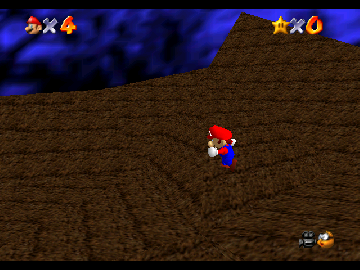
The game loads when you press Play · press “Play Now” inside the game if it asks.
Pumpkin Hills
Pumpkin Hills
What is Pumpkin Hills?
- Nintendo 64
- Platformer
- Homebrew
- 5· 0 votes
GAME INFO
- Platform
- Nintendo 64
- Genre
- Platformer
How to play Pumpkin Hills online
To get started in Pumpkin Hills, begin by selecting your character and pressing Start. The initial levels will introduce you to the basic mechanics, including jumping and running. Explore your surroundings and collect items, as they are essential for progressing through the game.
The core loop involves navigating through levels, avoiding enemies, and completing objectives. As you play, focus on mastering the controls to execute jumps and movements accurately. Each level presents new challenges, so pay attention to the environment and adapt your strategy accordingly to overcome obstacles.
CONTROLS
Controls
- Arrow Keys — D-Pad / Movement
- X — A button
- S — B button
- Z — Z trigger
- A — C-Down
- Q — L shoulder
- E — R shoulder
- Enter — Start
Pumpkin Hills FAQ
Can players save progress in Pumpkin Hills?
Saving progress is not widely documented for this game, and it is unclear if any save feature exists.
Is Pumpkin Hills exclusive to Nintendo 64 or did it appear on other systems?
Pumpkin Hills is a homebrew title specifically for the Nintendo 64 and has not been released on other systems.
In what year was Pumpkin Hills originally released?
The exact release year for Pumpkin Hills is not widely documented, making it difficult to provide a specific date.
You may also like
All Nintendo 64 games











GAME INFO
- Platform
- Nintendo 64
- Genre
- Platformer
COMMENTS (0)
No comments yet. Be the first to share your thoughts.