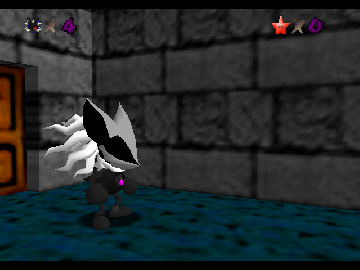
The game loads when you press Play · press “Play Now” inside the game if it asks.
Infinite 64
Infinite 64
What is Infinite 64?
- Nintendo 64
- Action
- Homebrew
- 5· 0 votes
Infinite 64 is a homebrew game developed for the Nintendo 64, offering a unique experience for fans of retro gaming. While specific details about the release date or creator are not widely documented, it fits into the genre of action platformers that were popular during the N64's heyday. Homebrew games like this one often showcase the creativity of independent developers passionate about the platform.
In terms of gameplay, players navigate through various levels filled with challenges and obstacles. The mechanics typically involve jumping, running, and possibly attacking enemies, much like traditional platformers of the era. Players will likely engage in a core loop of exploring levels, defeating foes, and collecting items, all while striving to reach the end of each stage.
What makes Infinite 64 worth exploring today is its embodiment of the spirit of homebrew gaming, which allows for experimentation beyond the constraints of commercial titles. While it may not have the polish or recognition of mainstream releases, it offers a nostalgic trip for those who appreciate the creativity found in independent games. For fans of the platformer genre, it serves as a reminder of the vibrant community surrounding the Nintendo 64 during its peak.
GAME INFO
- Platform
- Nintendo 64
- Genre
- Action
How to play Infinite 64 online
Getting started in Infinite 64 involves familiarizing yourself with the basic controls and mechanics. Once you start the game, you will navigate through levels, facing various obstacles and enemies. The core loop revolves around jumping, running, and possibly attacking foes while collecting items to progress through each stage.
As you play, pay attention to your surroundings and learn the patterns of enemies. Timing your jumps and attacks will be crucial for overcoming challenges. Since this is a homebrew title, expect some quirks in design, but enjoy the creativity and unique gameplay experience it offers.
CONTROLS
Controls
- Arrow Keys — D-Pad / Movement
- X — A button
- S — B button
- Z — Z trigger
- A — C-Down
- Q — L shoulder
- E — R shoulder
- Enter — Start
Infinite 64 FAQ
Which regions was Infinite 64 released in?
Information about the specific regions for Infinite 64's release is not widely documented.
Is there anything iconic or memorable about Infinite 64?
The game is notable as a homebrew title, reflecting the creativity of independent developers in the Nintendo 64 community.
Who developed Infinite 64?
Details about the developer of Infinite 64 are not widely documented.
You may also like
All Nintendo 64 games











GAME INFO
- Platform
- Nintendo 64
- Genre
- Action
COMMENTS (0)
No comments yet. Be the first to share your thoughts.