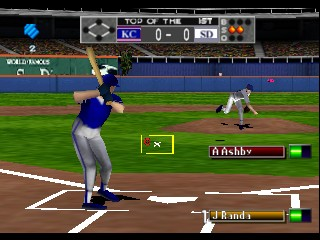
The game loads when you press Play · press “Play Now” inside the game if it asks.
Bottom of the 9th (USA)
Bottom of the 9th
What is Bottom of the 9th?
- Nintendo 64
- Sports
- 5· 0 votes
Bottom of the 9th (USA) is a sports video game released for the Nintendo 64. It came out in 1998 and was developed by KCEO, known for their work on sports titles. This game is part of the baseball genre, capturing the excitement of America's pastime on a 3D console platform.
In Bottom of the 9th, players engage in a simulated baseball experience where they can control teams and players to compete in various matches. The game allows for a range of gameplay mechanics, including pitching, batting, and fielding, emulating the strategic and tactical elements of real baseball. Players can choose different game modes, including exhibition matches and season play, giving a taste of both casual and more in-depth baseball experiences.
This title is worth exploring for fans of retro sports games, particularly those who appreciate the nostalgic graphics and gameplay mechanics of the late '90s. While it may not have the same recognition as franchises like MLB: The Show or RBI Baseball, it holds a special place in the hearts of those who enjoyed sports games on the N64. Its straightforward approach makes it accessible, though it may feel simplistic compared to modern iterations of baseball games.
GAME INFO
- Platform
- Nintendo 64
- Genre
- Sports
- Publisher
- Konami
- Developer
- Konami
- Released
- 1998
- Players
- 1-2
- Region
- USA
How to play Bottom of the 9th online
To get started with Bottom of the 9th, choose your game mode from the main menu. You can select exhibition matches for quick play or dive into a full season if you want a longer experience. Once in a game, you'll alternate between batting and fielding, making strategic decisions on when to swing or throw.
Understanding the core mechanics is crucial. Timing your pitches and swings is key to success, and practicing in different modes can help you get a feel for the game. Pay attention to player stats as they can influence game outcomes, making each match unique. Don't hesitate to experiment with different teams to find your favorites.
CONTROLS
Controls
- Arrow Keys — D-Pad / Movement
- X — A button
- S — B button
- Z — Z trigger
- A — C-Down
- Q — L shoulder
- E — R shoulder
- Enter — Start
Bottom of the 9th FAQ
Is Bottom of the 9th exclusive to Nintendo 64 or did it appear on other systems?
This game was specifically released for the Nintendo 64 and does not have versions on other systems. It is not widely documented to have been ported to any other platforms.
Is Bottom of the 9th an official release, a fan hack, a prototype, or another kind of build?
Bottom of the 9th is an official release for the Nintendo 64, developed by KCEO. There are no indications that it is a hack or prototype.
Who developed Bottom of the 9th?
The game was developed by KCEO, a lesser-known studio that specialized in sports titles during the late 1990s. Their work primarily focused on bringing sports experiences to various gaming platforms.
You may also like
All Nintendo 64 games











GAME INFO
- Platform
- Nintendo 64
- Genre
- Sports
- Publisher
- Konami
- Developer
- Konami
- Released
- 1998
- Players
- 1-2
- Region
- USA
COMMENTS (0)
No comments yet. Be the first to share your thoughts.