The game loads when you press Play · press “Play Now” inside the game if it asks.
Asteroids Hyper 64 (USA)
Asteroids Hyper 64
Asteroids Hyper 64 on N64
- Nintendo 64
- Action
- Unknown
- 5· 0 votes
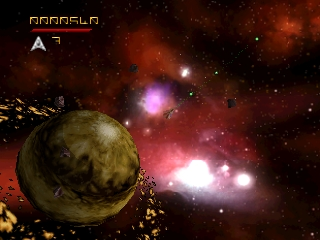
Asteroids Hyper 64 (USA) is an action game released for the Nintendo 64. This title is a reimagining of the classic arcade game Asteroids, bringing its iconic gameplay to a home console. While the original was developed by Atari, details about the development team behind this specific version are not widely documented, leaving some ambiguity in its origins.
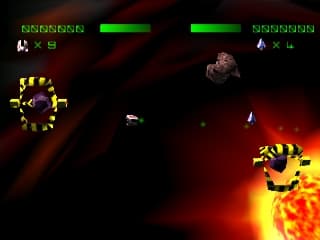
In Asteroids Hyper 64, players navigate a spaceship in a two-dimensional space environment, shooting asteroids and avoiding collisions. The gameplay retains the classic mechanics from the original arcade version, where players must destroy asteroids to clear levels while managing their ship's movement. The controls are designed to be straightforward, allowing players to focus on the fast-paced action of blasting through obstacles.
This title is worth trying for those who appreciate retro gaming and the history of arcade classics. While it may not have the depth of modern titles, its straightforward mechanics and nostalgic appeal make it an interesting experience. Compared to other games of its era, Asteroids Hyper 64 offers a simple yet engaging gameplay loop that can be enjoyable for both new players and those familiar with the original arcade experience.
GAME INFO
- Platform
- Nintendo 64
- Genre
- Action
- Players
- 1
- Region
- USA
- Based on
- Asteroids
More Asteroids Games
Ready for another round? Explore more Asteroids games and console editions. Choose a game below to play it on its own page.
How to play Asteroids Hyper 64 online
Getting started in Asteroids Hyper 64 involves selecting your desired game mode from the main menu. Once you begin, the core loop revolves around maneuvering your ship through the asteroid field while shooting at incoming asteroids. Pay attention to your ship's movement, as colliding with asteroids can result in losing a life.
As you progress, focus on shooting down asteroids and collecting any power-ups that may appear. These can provide temporary advantages or enhance your ship's abilities. The game encourages quick reflexes and strategic movement to clear levels and achieve high scores, making it a fun challenge for both seasoned gamers and newcomers alike.
CONTROLS
Controls
- Arrow Keys — D-Pad / Movement
- X — A button
- S — B button
- Z — Z trigger
- A — C-Down
- Q — L shoulder
- E — R shoulder
- Enter — Start
Asteroids Hyper 64 FAQ
Is Asteroids Hyper 64 considered easy to pick up or challenging?
The gameplay is straightforward, making it easy for new players to pick up. However, mastering the controls and achieving high scores can present a challenge as the game progresses.
Can players save progress in Asteroids Hyper 64?
There is no widely documented feature for saving progress in this title. Players typically need to complete levels in one session to advance.
Is there anything iconic or memorable about Asteroids Hyper 64?
The game retains the nostalgic feel of the original Asteroids, which many players find appealing. The simple yet addictive gameplay can evoke memories of classic arcade gaming.
You may also like
All Nintendo 64 games











GAME INFO
- Platform
- Nintendo 64
- Genre
- Action
- Players
- 1
- Region
- USA
- Based on
- Asteroids
COMMENTS (0)
No comments yet. Be the first to share your thoughts.