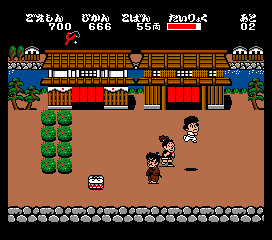
The game loads when you press Play · press “Play Now” inside the game if it asks.
Ganbare Goemon
Ganbare Goemon
About Ganbare Goemon
- MSX 2
- Platformer
- 5· 0 votes
GAME INFO
- Platform
- MSX 2
- Genre
- Platformer
- Publisher
- Konami
- Developer
- Konami
- Released
- 1991
- Players
- 1
- Region
- Japan
More Ganbare Goemon Games
Ready for another round? Explore more Ganbare Goemon games and console editions. Choose a game below to play it on its own page.
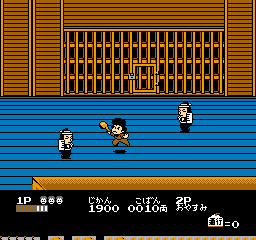
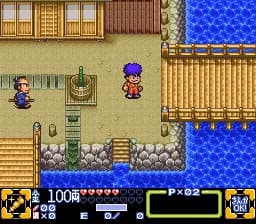
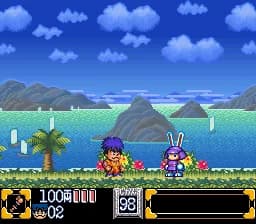
How to play Ganbare Goemon online
Getting started: This is a Japanese-only release, so all menus and on-screen text are in Japanese. When the title screen appears, press Start (Enter) to begin. You control Goemon through side-scrolling levels, using the D-Pad to move and jump. The X key makes you jump, and the S key attacks with your pipe weapon. Levels are linear and filled with enemies, obstacles, and collectible items like money bags and power-ups. The goal is to reach the end of each stage while fighting off foes and avoiding traps.
Your health is displayed as a bar at the top of the screen. Collecting coins or special items can increase your score or restore health. Some enemies drop items when defeated, so it pays to be aggressive. Watch out for pits and spikes that cause instant death. If you die, you restart from the beginning of the level unless you have continues. There is no password or save feature, so you need to complete the game in one session. The controls are responsive but take a little practice to master the timing of jumps and attacks.
Since the game is entirely in Japanese, the story and menus may be hard to follow if you do not read the language. However, the gameplay is straightforward enough to play without understanding the text. Experiment with the controls early on to get a feel for Goemon's movement and attack range. The game gets progressively harder, so memorize enemy patterns and use the environment to your advantage. If you get stuck, look for hidden bonus areas or power-ups that give temporary invincibility.
CONTROLS
Controls
- Arrow Keys: D-Pad / Movement
- X: Trigger 1
- S: Trigger 2
- Enter: Start
Ganbare Goemon FAQ
Can players save progress in Ganbare Goemon?
No save or password feature exists in this MSX 2 release. The game must be completed in a single session, relying on continues and careful play.
What makes Ganbare Goemon stand out among MSX 2 titles of its era?
Its colorful, detailed graphics and distinctly Japanese theme set it apart from many Western-oriented platformers on the system. The fluid animation and multiple attack options also give it a polished feel uncommon for home computer games of 1991.
Is Ganbare Goemon exclusive to MSX 2 or did it appear on other systems?
The Ganbare Goemon series appeared on numerous platforms such as NES, SNES, and arcade, but this specific MSX 2 version is a unique port released only in Japan. It shares characters and general style with other entries but has its own level design and controls.
You may also like
All MSX 2 games











GAME INFO
- Platform
- MSX 2
- Genre
- Platformer
- Publisher
- Konami
- Developer
- Konami
- Released
- 1991
- Players
- 1
- Region
- Japan
COMMENTS (0)
No comments yet. Be the first to share your thoughts.