The game loads when you press Play · press “Play Now” inside the game if it asks.
Yie Ar Kung-Fu 1
Yie Ar Kung-Fu 1
Yie Ar Kung-Fu 1 Overview
Yie Ar Kung-Fu 1 on the MSX 1 is a direct port of Konami's 1985 arcade fighting game, one of the earliest one-on-one brawlers. Originally released in Japan, it brought the coin-op experience home with scaled-down graphics and sound. Konami handled both development and publishing, so this is an official title rather than a third-party knockoff.
The player controls a martial artist named Oolong, moving left and right across a single screen. Each match pits you against a different opponent with unique moves and patterns. You punch, kick, jump, and block - no special meters, just timing and spacing. Defeating all challengers wins the game, but you only have a limited number of lives.
Today Yie Ar Kung-Fu 1 feels primitive compared to later fighters, but its historical importance is hard to overstate. It helped define the genre on home computers and is a straightforward, no-nonsense brawler that still works well in short bursts. If you enjoy retro fighting games or MSX history, this is worth a few rounds.
GAME INFO
More Yie Ar Kung-Fu Games
Ready for another round? Explore more Yie Ar Kung-Fu games and console editions. Choose a game below to play it on its own page.
How to play Yie Ar Kung-Fu 1 online
Getting Started
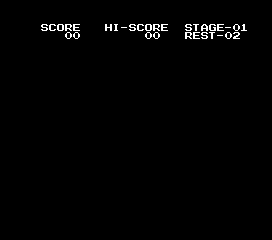
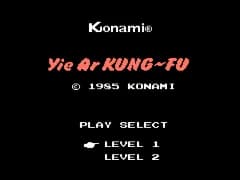
Start the game by pressing Enter. The MSX version uses Japanese menus, but the layout is simple: select one-player mode from the title screen using the D-pad and confirm with X. Once in the fight, your goal is to knock down each opponent before they do the same to you.
Move with the arrow keys, jump with X, and attack with S. Each enemy has a different pattern - some rush, others keep distance. Block by pressing away from the opponent, but don't rely on it too much. The core loop is reading the opponent's tells and landing hits during openings. You have a limited number of lives, so play cautiously.
A few things to know: you cannot block while jumping. The game runs at a steady pace with no continues, so every defeat sends you back to the beginning. Learn each opponent's attack range and punish their whiffs. If the screen seems slow, check the emulator's speed setting.
CONTROLS
Controls
- Arrow Keys: D-Pad / Movement
- X: Trigger 1
- S: Trigger 2
- Enter: Start
Yie Ar Kung-Fu 1 FAQ
Who developed Yie Ar Kung-Fu 1?
Konami developed and published the game for the MSX 1, porting it from their own arcade original.
Which regions was Yie Ar Kung-Fu 1 released in?
It was first released in Japan in 1985. European releases may have followed but are not widely documented.
Is Yie Ar Kung-Fu 1 an official release, a fan hack, a prototype, or another kind of build?
It is an official commercial release by Konami, not a hack, prototype, or homebrew.












COMMENTS (0)
No comments yet. Be the first to share your thoughts.