The game loads when you press Play · press “Play Now” inside the game if it asks.
Terrors 2 (J)
Terrors 2
About Terrors 2
- WonderSwan
- Action
- 5· 0 votes
GAME INFO
- Platform
- WonderSwan
- Genre
- Action
- Region
- Japan
More Terrors Games
Ready for another round? Explore more Terrors games and console editions. Choose a game below to play it on its own page.
How to play Terrors 2 online
Getting Started
Since Terrors 2 is a Japanese game, the menus will be in Japanese. When you start the game, you'll likely see a title screen with options like "Start" and "Continue" (though written in kanji). Press X (mapped to A) to confirm the first option and begin playing. If there's a difficulty selection, the top option is usually the default.
The core gameplay likely involves moving left or right through levels, using the D-pad to navigate and the A button to jump or interact. The B button probably handles attacks or special actions. Enemies will appear, and you'll need to dodge or defeat them to progress. Watch for hazards and collectibles - since this is an action game, health or power-ups may appear.
Exploration and trial-and-error are part of the experience. If you get stuck, try different button combinations. The game might have a password or save system; check for an option in the menus that uses characters or numbers. When you want to pause, press Enter (Start). To return to the main menu or reset, press V (Select) and Enter together or just reset the emulator.
CONTROLS
Controls
- Arrow Keys: D-Pad / Movement
- X: A button
- S: B button
- Enter: Start
- V: Sound
Terrors 2 FAQ
Who developed Terrors 2?
The developer of Terrors 2 is not widely documented. It may have been created by a small Japanese studio or internally at Bandai, but no confirmed information is readily available.
What makes Terrors 2 stand out among WonderSwan titles of its era?
Its rarity and status as a sequel on the niche WonderSwan hardware make it a collector's item. The game's action focus and monochrome presentation capture the spirit of early 2000s portable gaming.
Which regions was Terrors 2 released in?
Terrors 2 was released exclusively in Japan, as indicated by the (J) in the title. There is no record of a western release.
You may also like
All WonderSwan games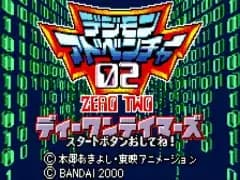 Digimon Adventure 02 - D1 Tamers
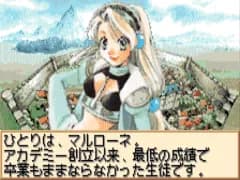 Alchemist Marie & Elie - Futari no Atelier
 Dragonball
 Uchuu Senkan Yamato
 Hunter X Hunter - Greed Island
 Pocket Fighter
 Digimon Digital Monsters - Anode & Cathode Tamer - Veedramon Version
 Puzzle Bobble
 Digimon Tamers - Brave Tamer
 Digimon Tamers - Digimon Medley
 From TV Animation - One Piece - Niji no Shima Densetsu
 Rockman EXE WS
GAME INFO
- Platform
- WonderSwan
- Genre
- Action
- Region
- Japan
COMMENTS (0)
No comments yet. Be the first to share your thoughts.