
Sonic in Streets of Rage 3
Sonic in Streets of Rage 3 on Genesis
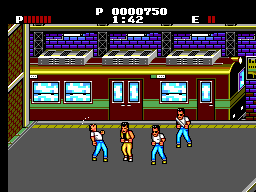
Sonic in Streets of Rage 3 is a ROM hack for the SEGA Genesis that transplants Sonic the Hedgehog into the world of Streets of Rage 3. It's a fan-made modification, not an official release, so there's no known developer, publisher, or precise release year. The base game is Sega's classic beat 'em up, and this hack simply replaces the original character sprites with Sonic sprites while keeping the levels and enemies intact. If you've played Streets of Rage 3 before, you'll recognize the city streets, factories, and criminal hideouts - but now you're running through them as Sonic, punching and kicking goons with his trademark speed.
How to Play Sonic in Streets of Rage 3 Online
Getting Started
When you start a new game, you'll pick a character from the select screen - even though all options look like Sonic, they might map to different movesets from the original game. The core loop is the same as any Streets of Rage title: move from left to right across each stage, fight waves of enemies using punches, kicks, and special attacks, and defeat the level boss to advance. Your health bar is displayed at the top of the screen, and you can grab weapons like pipes or knives from the environment to deal extra damage.
Because this is a hack, the game retains the original's two-player cooperative mode; plug in a second controller and press Start to join in. The controls are identical to the original Streets of Rage 3, so you can perform moves like the back attack (press A while moving away from an enemy) or the star move (press B + C with at least one star from the meter). If you're unfamiliar with the Japanese version's menus, note that the original Streets of Rage 3 (Bare Knuckle III in Japan) had Japanese text in certain regions - this hack likely uses the English ROM, so navigation should be straightforward.
Sonic in Streets of Rage 3 Keyboard Controls
Controls
- Arrow Keys: D-Pad / Movement
- X: A button
- S: B button
- Z: C button
- A: X button (6-button pad)
- Q: Y button (6-button pad)
- E: Z button (6-button pad)
- Enter: Start / Mode

Comments (0)