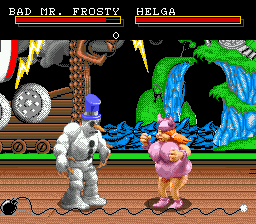
The game loads when you press Play · press “Play Now” inside the game if it asks.
Clay Fighter (USA)
Clay Fighter
Clay Fighter on Genesis
- SEGA Genesis
- Fighting
- 5· 0 votes
GAME INFO
- Platform
- SEGA Genesis
- Genre
- Fighting
- Released
- 1994
- Players
- 1-2
- Region
- USA
More Clay Fighter Games
Ready for another round? Explore more Clay Fighter games and console editions. Choose a game below to play it on its own page.
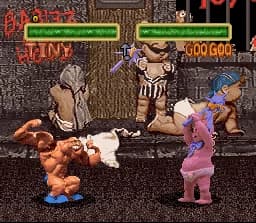
How to play Clay Fighter online
CONTROLS
Controls
- Arrow Keys: D-Pad / Movement
- X: A button
- S: B button
- Z: C button
- A: X button (6-button pad)
- Q: Y button (6-button pad)
- E: Z button (6-button pad)
- Enter: Start / Mode
Clay Fighter FAQ
Is Clay Fighter considered easy to pick up or challenging?
Controls are simple and special moves are easy to perform, making it accessible for newcomers. But the AI can be unpredictable and landing hits consistently takes some practice. Mastery of each character's moves and timing separates casual play from solid play.
Is Clay Fighter exclusive to SEGA Genesis or did it appear on other systems?
The game originally launched on Super NES in 1993 before being ported to the Sega Genesis in 1994. It also saw a sequel on SNES and later a Nintendo 64 title. The Genesis version was later re-released on Wii Virtual Console.
Who developed Clay Fighter?
The original SNES version was developed by Visual Concepts, and the same team handled the Genesis port. Visual Concepts later became known for the 2K sports series.
You may also like
All SEGA Genesis games











GAME INFO
- Platform
- SEGA Genesis
- Genre
- Fighting
- Released
- 1994
- Players
- 1-2
- Region
- USA
COMMENTS (0)
No comments yet. Be the first to share your thoughts.