The game loads when you press Play · press “Play Now” inside the game if it asks.
Star Blade
Star Blade
Star Blade on SCD
GAME INFO
How to play Star Blade online
Getting Started
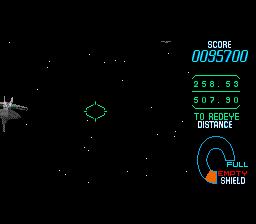
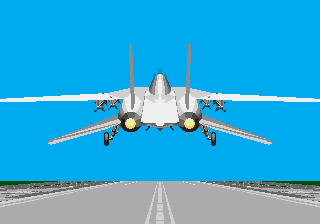
When you first launch Star Blade, you will see a title screen. Press Enter to start the game. You will be piloting a starfighter through a series of stages. The game is on-rails, meaning your ship moves forward automatically. Your main task is to use the targeting crosshair to shoot down enemy fighters and avoid collisions. The default controls assign the S key to fire and the X key to activate secondary weapons or special attacks, depending on the context.
Movement of the crosshair is done with the Arrow Keys. You can also shift your ship slightly left or right to dodge incoming shots, but the path is mostly linear. Keep an eye on your shield bar - if it depletes, you lose a life. After each stage, you may see a score tally. There are no continues unless you have set the number of credits in the emulator settings. The game ends when you run out of lives, so focus on accuracy and quick reactions.
CONTROLS
Controls
- Arrow Keys: D-Pad / Movement
- X: A button
- S: B button
- Z: C button
- A: X button (6-button pad)
- Q: Y button (6-button pad)
- E: Z button (6-button pad)
- Enter: Start / Mode
Star Blade FAQ
Is there anything iconic or memorable about Star Blade?
The game is remembered for its early use of 3D polygonal graphics on the SEGA CD, which was impressive for its time. The soundtrack also stands out as a high-quality CD audio score, a selling point of the platform.
Can players save progress in Star Blade?
No save feature is present in the original game. You must complete it in one sitting, or use the emulator's save state function to continue later.
Does Star Blade have a multiplayer or co-op mode?
It does not include any multiplayer or co-op options. It is a single-player experience throughout.
COMMENTS (0)
No comments yet. Be the first to share your thoughts.