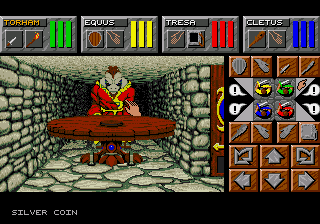
The game loads when you press Play · press “Play Now” inside the game if it asks.
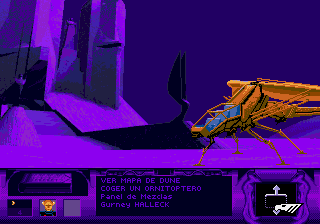
Dungeon Master II
Dungeon Master II
Dungeon Master II: SCD RPG
GAME INFO
More Dungeon Master Games
Ready for another round? Explore more Dungeon Master games and console editions. Choose a game below to play it on its own page.
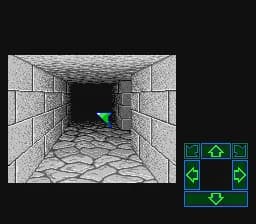
How to play Dungeon Master II online
The core loop involves exploring each dungeon floor, battling monsters, collecting items, and solving environmental puzzles to progress deeper. Save often - the game does not auto-save, and you can be overwhelmed quickly if you wander into a tough area. If you are playing a region-specific version, menus might be in English or Japanese depending on your ROM. In the Japanese version, the main options are easy to navigate by trial and error since many terms are similar to the English PC original.
CONTROLS
Controls
- Arrow Keys: D-Pad / Movement
- X: A button
- S: B button
- Z: C button
- A: X button (6-button pad)
- Q: Y button (6-button pad)
- E: Z button (6-button pad)
- Enter: Start / Mode
Dungeon Master II FAQ
Is there anything iconic or memorable about Dungeon Master II?
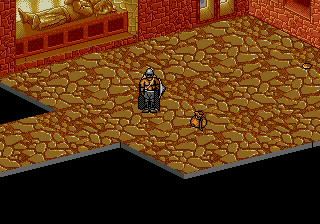
The game is remembered for its real-time combat system and the ability to cast spells by drawing runes, a mechanic that felt innovative for its time. It also features large, interconnected dungeons with a strong sense of atmosphere and exploration.
Is Dungeon Master II exclusive to SEGA CD or did it appear on other systems?
It was not exclusive to the SEGA CD. The game originally launched on MS-DOS and also saw releases on the FM Towns and PC-98 in Japan. The SEGA CD version is a port of that original computer game.
Does Dungeon Master II have a multiplayer or co-op mode?
No, it is strictly a single-player experience. The game controls a party of four characters, but all are managed by one player through the interface.
COMMENTS (0)
No comments yet. Be the first to share your thoughts.