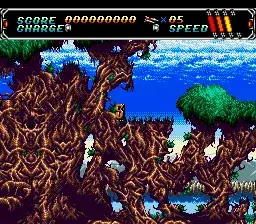
The game loads when you press Play · press “Play Now” inside the game if it asks.
AH-3 Thunderstrike
AH-3 Thunderstrike
Getting to Know AH-3 Thunderstrike
- SEGA CD
- Simulation
- 5· 0 votes
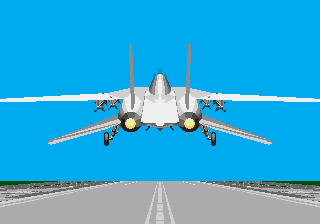
AH-3 Thunderstrike is a helicopter combat simulation game released for the SEGA CD platform in the mid-1990s. It places players in the cockpit of an attack helicopter, tasked with completing various missions that involve aerial combat and ground target destruction. The game leverages the SEGA CD's capabilities to deliver enhanced audio and full-motion video sequences, which were hallmark features of the platform during its lifecycle. Its release fits within the era when CD-based consoles were experimenting with more cinematic and immersive gameplay experiences compared to cartridge-based systems.
While specific reception details for AH-3 Thunderstrike are not widely documented, games of its type on the SEGA CD often received mixed responses due to the hardware's limitations and the challenge of balancing simulation depth with accessible gameplay. Flight simulation and vehicular combat games on the SEGA CD typically attracted a niche audience appreciative of the added multimedia elements but sometimes criticized for limited gameplay complexity. The title did not spawn widely known sequels or a large competitive community, but it remains a part of the SEGA CD's catalog of experimental and genre-diverse releases.
Today, AH-3 Thunderstrike is remembered primarily by retro gaming enthusiasts who explore the SEGA CD's library for its unique blend of simulation and early CD-ROM era audiovisual presentation. It illustrates the platform's ambition to push beyond traditional gameplay formats despite technical constraints. Within the broader SEGA CD collection, the game stands as an example of the system's attempts to marry action and simulation with the novelty of full-motion video, securing a modest but enduring place among fans of helicopter combat games from that generation.
GAME INFO
- Platform
- SEGA CD
- Genre
- Simulation
- Publisher
- JVC
- Developer
- Core Design
- Released
- 1993
How to play AH-3 Thunderstrike online
First 5 minutes: Upon starting AH-3 Thunderstrike, players find themselves in the cockpit view of a combat helicopter. The initial moments involve familiarizing with the basic controls to maneuver the helicopter and engage targets. Early missions introduce simple objectives like destroying ground targets, giving a hands-on feel for the game's flight and combat mechanics.
The first hour: Players progress through a series of missions that increase in complexity, requiring precise navigation and targeting of enemy units. The core gameplay loop involves flying through varied terrain, managing weapon systems, and avoiding enemy fire. It is important to monitor altitude and speed while prioritizing mission objectives to advance.
Mastery: Skilled players distinguish themselves by mastering helicopter control precision, efficient weapon usage, and situational awareness under pressure. Anticipating enemy movements and optimizing attack runs while conserving limited resources separate casual play from expert performance.
CONTROLS
Controls
- Arrow Keys — D-Pad / Movement
- X — A button
- S — B button
- Z — C button
- A — X button (6-button pad)
- Q — Y button (6-button pad)
- E — Z button (6-button pad)
- Enter — Start / Mode
AH-3 Thunderstrike FAQ
Is there anything iconic or memorable about AH-3 Thunderstrike?
The game is noted for its use of full-motion video sequences and helicopter combat simulation on the SEGA CD, which was relatively uncommon on the platform. Its cockpit perspective and mission-based structure stand out among the library's diverse offerings.
Can players save progress in AH-3 Thunderstrike?
Information about save functionality in AH-3 Thunderstrike is not widely documented. Many SEGA CD games employed password systems or save RAM, but specific details for this title remain unclear.
Who developed AH-3 Thunderstrike?
The developer of AH-3 Thunderstrike is not clearly documented in available sources. The game was published for the SEGA CD, but the studio responsible for its creation is not widely known.
You may also like
All SEGA CD games

GAME INFO
- Platform
- SEGA CD
- Genre
- Simulation
- Publisher
- JVC
- Developer
- Core Design
- Released
- 1993
COMMENTS (0)
No comments yet. Be the first to share your thoughts.