The game loads when you press Play · press “Play Now” inside the game if it asks.
Rascal (USA)
Rascal
Getting to Know Rascal
- PlayStation PSX
- Platformer
- 5· 0 votes
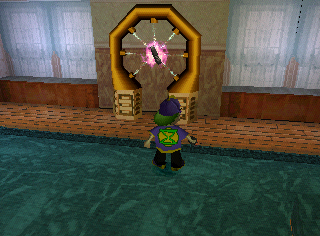
Rascal is a platforming game released for the PlayStation in the late 1990s. Developed by the team at the now-defunct studio, it was published in the USA and is known for its colorful graphics and whimsical design. As a title from the PSX era, it falls into the action-adventure genre, showcasing gameplay that reflects the conventions of 3D platformers popular at the time.
In Rascal, players take control of a character navigating through various levels filled with enemies and obstacles. The gameplay revolves around jumping, running, and attacking, with a focus on exploration and puzzle-solving. Players will encounter a range of environments, each presenting unique challenges and enemies to overcome, while collecting items along the way to enhance their experience.
Despite its niche status, Rascal is worth checking out for fans of retro platformers. It offers a nostalgic glimpse into the design choices of the late '90s gaming landscape, with a charming aesthetic that may appeal to collectors and enthusiasts. While it may not be as well-known as other titles from the era, its quirky charm and straightforward gameplay can provide a pleasant diversion for those looking to explore lesser-known gems from the PlayStation library.
GAME INFO
- Platform
- PlayStation PSX
- Genre
- Platformer
- Publisher
- SCE Studio Liverpool
- Developer
- Traveller's Tales
- Released
- 1998
- Players
- 1
- Region
- USA
How to play Rascal online
Getting started in Rascal begins with selecting your game mode from the main menu. Once in the game, players will find themselves in a vibrant world filled with various levels to explore. The core loop consists of jumping across platforms, defeating enemies, and collecting items to progress through each stage.
As you play, familiarize yourself with the control scheme to navigate effectively. Timing your jumps and attacks is crucial, as many sections require precision to avoid hazards. Pay attention to the environment for hidden paths and collectibles that can enhance your abilities or score.
CONTROLS
Controls
- Arrow Keys — D-Pad / Movement
- X — Cross ( × )
- S — Square ( □ )
- Z — Triangle ( △ )
- A — Circle ( ○ )
- Q — L1 shoulder
- E — R1 shoulder
- Enter — Start
- V — Select
Rascal FAQ
Who developed Rascal?
The information regarding the specific developer of Rascal is not widely documented, making it difficult to attribute the game to a particular studio.
Is Rascal considered easy to pick up or challenging?
Many players find Rascal relatively straightforward to pick up, especially if they are familiar with platformers from the era. However, some levels may present challenges that require practice to master.
Is there anything iconic or memorable about Rascal?
While Rascal may not have achieved iconic status, it is remembered for its colorful graphics and whimsical environments, typical of its time. Fans of retro platformers often appreciate its nostalgic charm.
You may also like
All PlayStation PSX games











GAME INFO
- Platform
- PlayStation PSX
- Genre
- Platformer
- Publisher
- SCE Studio Liverpool
- Developer
- Traveller's Tales
- Released
- 1998
- Players
- 1
- Region
- USA
COMMENTS (0)
No comments yet. Be the first to share your thoughts.