The game loads when you press Play · press “Play Now” inside the game if it asks.
Hot Wheels - Turbo Racing
Hot Wheels - Turbo Racing
Hot Wheels - Turbo Racing - Racing Classic
- PlayStation PSX
- Racing
- 5· 0 votes
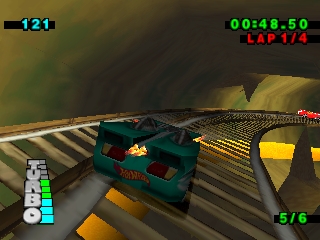
Hot Wheels - Turbo Racing is a racing game released for the PlayStation in the late 1990s. Developed by the now-defunct studio, it captures the essence of the popular Hot Wheels brand, allowing players to race miniature cars on imaginative tracks. This title fits squarely within the racing genre, prevalent on the PSX platform during its heyday.
In the game, players choose from a variety of Hot Wheels cars and race against opponents across various tracks. The gameplay involves mastering tight turns, utilizing shortcuts, and collecting power-ups that can give you an edge during races. Players can also unlock additional cars and tracks as they progress, enhancing the competitive nature of the gameplay.
Despite its simple premise, Hot Wheels - Turbo Racing holds a nostalgic charm for fans of the franchise and retro gaming enthusiasts. While it may not compete with more prominent racing titles of its time, it offers a unique experience that appeals to collectors and fans of arcade-style racing games. Its colorful graphics and engaging gameplay make it worth a spin, especially for those looking to relive classic gaming moments.
GAME INFO
- Platform
- PlayStation PSX
- Genre
- Racing
- Players
- 1
How to play Hot Wheels - Turbo Racing online
Getting started in Hot Wheels - Turbo Racing involves selecting your car and track from the main menu. Once you choose a track, you’ll enter the race, where the core loop consists of competing against AI opponents. Use the controls to steer your car, accelerate, and navigate through the various obstacles that the track presents.
Power-ups are scattered throughout the tracks, so be sure to collect them to gain advantages against your opponents. As you race, focus on mastering the turns and utilizing shortcuts to improve your lap times. Winning races will unlock more cars and tracks, allowing for deeper gameplay and replayability as you strive to beat your best times.
CONTROLS
Controls
- Arrow Keys — D-Pad / Movement
- X — Cross ( × )
- S — Square ( □ )
- Z — Triangle ( △ )
- A — Circle ( ○ )
- Q — L1 shoulder
- E — R1 shoulder
- Enter — Start
- V — Select
Hot Wheels - Turbo Racing FAQ
Is Hot Wheels - Turbo Racing exclusive to PlayStation PSX or did it appear on other systems?
The game was primarily released for the PlayStation PSX. There is no widely documented evidence of it appearing on other platforms.
Does Hot Wheels - Turbo Racing have a multiplayer or co-op mode?
Hot Wheels - Turbo Racing does not feature a multiplayer mode. The gameplay is designed for single-player racing against AI opponents only.
Who developed Hot Wheels - Turbo Racing?
The specific developer of Hot Wheels - Turbo Racing is not widely documented. However, it is known to have been created during the era of PSX racing games, which were popular at the time.
You may also like
All PlayStation PSX games











GAME INFO
- Platform
- PlayStation PSX
- Genre
- Racing
- Players
- 1
COMMENTS (0)
No comments yet. Be the first to share your thoughts.