The game loads when you press Play · press “Play Now” inside the game if it asks.
DoDonPachi
DoDonPachi
DoDonPachi: PSX Shooter
- PlayStation PSX
- Shooter
- 5· 0 votes
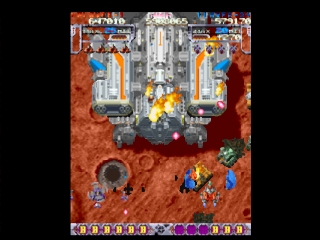
DoDonPachi is a classic vertical scrolling shoot 'em up game released for the PlayStation (PSX) in Japan. Developed by Cave, this title is part of the iconic bullet hell genre, which gained popularity in the late 1990s. Known for its intense gameplay and detailed graphics, DoDonPachi has become a staple among retro gaming enthusiasts and remains a beloved entry in the genre.
In DoDonPachi, players take control of a fighter plane, navigating through waves of enemies and avoiding intricate patterns of bullets. The gameplay revolves around shooting down enemy aircraft while collecting power-ups and points to enhance your ship's capabilities. The mechanics are straightforward but require quick reflexes and strategic movement to survive the increasingly challenging levels and bosses.
Today, DoDonPachi is worth trying for its historical significance and engaging gameplay. It exemplifies the bullet hell subgenre that emerged during the 90s, influencing many subsequent titles. While newer games may offer more advanced graphics or mechanics, the pure adrenaline rush and nostalgia of playing DoDonPachi make it a must-try for fans of retro shooters and arcade classics.
GAME INFO
- Platform
- PlayStation PSX
- Genre
- Shooter
- Publisher
- Atlus
- Developer
- CAVE
- Released
- 1997
- Players
- 1
- Region
- Japan
How to play DoDonPachi online
To get started in DoDonPachi, choose your fighter plane and begin your mission. The game features various stages filled with enemy aircraft, each requiring you to dodge their attacks while shooting them down. Collect power-ups to enhance your ship's firepower and survive the relentless bullet patterns.
As you progress, focus on mastering the game's mechanics, such as chaining enemy kills for higher scores and learning the patterns of enemy attacks. This will help you develop strategies for each level and boss fight. Keep in mind that the menus are primarily in Japanese, so navigation might require some familiarity with the language, but the gameplay itself is intuitive enough for newcomers to pick up quickly.
CONTROLS
Controls
- Arrow Keys — D-Pad / Movement
- X — Cross ( × )
- S — Square ( □ )
- Z — Triangle ( △ )
- A — Circle ( ○ )
- Q — L1 shoulder
- E — R1 shoulder
- Enter — Start
- V — Select
DoDonPachi FAQ
Is DoDonPachi exclusive to PlayStation PSX or did it appear on other systems?
The game was originally released in arcades before being ported to the PlayStation. It has also appeared on various platforms in later compilations but is primarily known for its PSX version.
Can players save progress in DoDonPachi?
The PlayStation version does not feature a save system, so players will need to complete the game in one sitting. This is common for many arcade-style games from that era.
Who developed DoDonPachi?
Cave, a well-known developer in the shoot 'em up genre, created DoDonPachi. They are recognized for their contributions to the bullet hell subgenre and for producing several classic arcade titles.
You may also like
All PlayStation PSX games











GAME INFO
- Platform
- PlayStation PSX
- Genre
- Shooter
- Publisher
- Atlus
- Developer
- CAVE
- Released
- 1997
- Players
- 1
- Region
- Japan
COMMENTS (0)
No comments yet. Be the first to share your thoughts.