The game loads when you press Play · press “Play Now” inside the game if it asks.
David Beckham Soccer
David Beckham Soccer
David Beckham Soccer - Sports Classic
- PlayStation PSX
- Sports
- 5· 0 votes
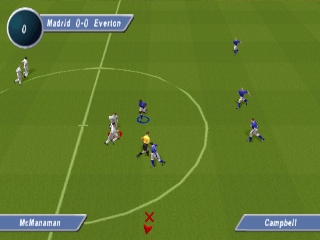
David Beckham Soccer is a sports video game released for the PlayStation PSX. It was developed during the late 1990s, a period marked by a surge in football games, and it features the famous footballer David Beckham prominently. The game allows players to engage in soccer matches, capturing the essence of the sport while providing an arcade-style experience that was popular among sports titles of that era.
In gameplay, players have the opportunity to control a variety of teams and engage in matches that emphasize both strategy and quick reflexes. The controls are straightforward, allowing players to pass, shoot, and tackle their way through matches. While it may not have the depth of some simulation football games, it offers an accessible experience that can be enjoyed by both casual and more dedicated players.
Today, David Beckham Soccer holds a niche place in the library of retro sports games. While it may not compete with heavyweights like FIFA or Pro Evolution Soccer, its unique branding and the inclusion of Beckham make it an interesting title for fans of the sport or collectors of retro games. It’s worth trying out for a bit of nostalgia or to experience a slice of football gaming history from the PSX era.
GAME INFO
- Platform
- PlayStation PSX
- Genre
- Sports
- Released
- 1999
- Players
- 1-2
- Region
- Worldwide
How to play David Beckham Soccer online
Getting started in David Beckham Soccer involves selecting your team and setting up a match. You can choose from various teams and then jump right into the action. The core loop revolves around playing matches, where you will pass, shoot, and attempt to score against your opponent while managing your players effectively.
As you play, mastering the controls is essential for success. Familiarize yourself with the shooting and passing mechanics, as these will be crucial in tight match situations. The game allows for some tactical decisions, but the fast-paced nature means that quick reflexes often determine the outcome of your matches.
CONTROLS
Controls
- Arrow Keys — D-Pad / Movement
- X — Cross ( × )
- S — Square ( □ )
- Z — Triangle ( △ )
- A — Circle ( ○ )
- Q — L1 shoulder
- E — R1 shoulder
- Enter — Start
- V — Select
David Beckham Soccer FAQ
Is David Beckham Soccer an official release, a fan hack, a prototype, or another kind of build?
This game is an official release for the PlayStation, featuring David Beckham as a key figure in its branding and gameplay.
Is David Beckham Soccer considered easy to pick up or challenging?
This title is generally considered easy to pick up, making it accessible for casual players while still providing enough challenge for those looking to improve their skills.
Is there anything iconic or memorable about David Beckham Soccer?
The game is memorable for its association with David Beckham, who was a global football icon during the late 1990s, and it captures the essence of soccer gaming in that era.
You may also like
All PlayStation PSX games











GAME INFO
- Platform
- PlayStation PSX
- Genre
- Sports
- Released
- 1999
- Players
- 1-2
- Region
- Worldwide
COMMENTS (0)
No comments yet. Be the first to share your thoughts.