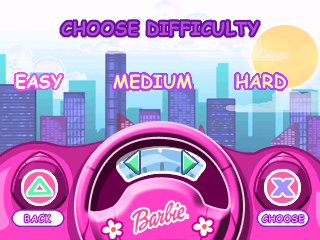
The game loads when you press Play · press “Play Now” inside the game if it asks.
Barbie - Gotta Have Games
Barbie - Gotta Have Games
Barbie - Gotta Have Games - Educational Classic
- PlayStation PSX
- Educational
- 5· 0 votes
Barbie - Gotta Have Games is a colorful title released for the PlayStation in the late 1990s. Developed for a younger audience, this game falls under the educational genre and aims to provide a fun experience using familiar characters from the Barbie franchise. It's not a hack or mod but rather a straightforward entry in the series aimed at engaging kids with interactive gameplay.
In this game, players take on various mini-games that focus on different skills such as memory, puzzle-solving, and coordination. Each mini-game offers a unique challenge, often featuring recognizable Barbie themes and settings. The game encourages players to explore these challenges at their own pace, making it an inviting experience for younger gamers who may be new to video games.
Barbie - Gotta Have Games holds a niche place in the library of PSX titles, particularly for those who appreciate games aimed at children. While it may not have the same level of recognition as blockbuster titles from the era, it provides a light-hearted and engaging experience. For fans of the franchise or those looking for simple, family-friendly gaming, this title can still be worth a try today.
GAME INFO
- Platform
- PlayStation PSX
- Genre
- Educational
- Released
- 1999
- Players
- 1
- Region
- USA
How to play Barbie - Gotta Have Games online
Getting started in Barbie - Gotta Have Games involves navigating the main menu where players can select from various mini-games. Each mini-game offers a different experience, so it's a good idea to try them all out to find your favorites. The core loop revolves around completing these mini-games to unlock more content and enjoy different challenges.
As you dive into the mini-games, pay attention to the instructions provided at the beginning of each. Familiarize yourself with the controls, as they will help you succeed in the various challenges. The games are designed to be approachable, allowing players to learn and improve their skills as they go.
CONTROLS
Controls
- Arrow Keys — D-Pad / Movement
- X — Cross ( × )
- S — Square ( □ )
- Z — Triangle ( △ )
- A — Circle ( ○ )
- Q — L1 shoulder
- E — R1 shoulder
- Enter — Start
- V — Select
Barbie - Gotta Have Games FAQ
Is there anything iconic or memorable about Barbie - Gotta Have Games?
The game is notable for its vibrant graphics and engaging mini-games that resonate with the Barbie brand. It provides a playful atmosphere that appeals to younger players, making it a memorable title for its target audience.
Is Barbie - Gotta Have Games exclusive to PlayStation PSX or did it appear on other systems?
This title was primarily released on the PlayStation platform, and there is no widely documented evidence of it being available on other systems. Its focus was on providing a unique experience tailored for the PSX audience.
Does Barbie - Gotta Have Games have a multiplayer or co-op mode?
The game is designed as a single-player experience, with each mini-game meant to be played individually. There are no multiplayer or co-op modes included in this title.
You may also like
All PlayStation PSX games











GAME INFO
- Platform
- PlayStation PSX
- Genre
- Educational
- Released
- 1999
- Players
- 1
- Region
- USA
COMMENTS (0)
No comments yet. Be the first to share your thoughts.