The game loads when you press Play · press “Play Now” inside the game if it asks.
Alien Trilogy
Alien Trilogy
Alien Trilogy: PSX Shooter
- PlayStation PSX
- Shooter
- 5· 0 votes
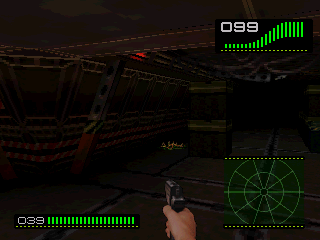
Alien Trilogy is a first-person shooter released for the PlayStation in 1996, developed by Probe Entertainment and published by GT Interactive. Based on the iconic Alien film franchise, this game takes players through various levels filled with iconic enemies and environments from the series. It captures the essence of the horror and action genres, making it a notable entry on the PSX platform.
In this game, players assume the role of Ellen Ripley, navigating through a series of levels set in alien-infested environments. The gameplay combines exploration and combat, as players must find weapons, collect items, and battle various xenomorphs. Players will encounter a range of challenges, including puzzles and keycard locks that require exploration and strategic thinking to progress through the game.
What makes Alien Trilogy worth playing today is its nostalgic value for fans of the Alien franchise and its place within the first-person shooter genre of the 90s. Although it may not have the polish of more contemporary titles, it offers a unique blend of horror and action that was characteristic of that era. Fans of retro gaming and those interested in the evolution of FPS games will find this title to be a fascinating piece of gaming history.
GAME INFO
- Platform
- PlayStation PSX
- Genre
- Shooter
- Developer
- Acclaim Studios London
- Released
- 1996
- Players
- 1
- Region
- Worldwide
How to play Alien Trilogy online
To get started with Alien Trilogy, boot up the game and select a difficulty level. The game begins with you controlling Ellen Ripley, and your goal is to navigate through levels filled with enemies and obstacles. You'll need to explore your environment, collecting weapons and health items while solving puzzles to progress.
As you move through the game, combat is a significant part of the experience. You'll face various xenomorphs, which require quick reflexes and strategy to defeat. Take time to explore each area thoroughly, as hidden items can greatly assist you. Familiarize yourself with the controls for combat and navigation, and remember to save your progress when you can.
CONTROLS
Controls
- Arrow Keys — D-Pad / Movement
- X — Cross ( × )
- S — Square ( □ )
- Z — Triangle ( △ )
- A — Circle ( ○ )
- Q — L1 shoulder
- E — R1 shoulder
- Enter — Start
- V — Select
Alien Trilogy FAQ
Can players save progress in Alien Trilogy?
Yes, players can save their progress at specific checkpoints throughout the game. This allows you to pick up where you left off after a game over or when you return to play later.
Roughly how long does it take to finish Alien Trilogy?
Completing Alien Trilogy typically takes around 6 to 10 hours, depending on your familiarity with the game and your ability to navigate the challenges. Players who explore thoroughly may find themselves taking a bit longer to finish.
Is Alien Trilogy an official release, a fan hack, a prototype, or another kind of build?
Alien Trilogy is an official release developed by Probe Entertainment and published by GT Interactive. It was released for the PlayStation and is not a hack or prototype.
You may also like
All PlayStation PSX games











GAME INFO
- Platform
- PlayStation PSX
- Genre
- Shooter
- Developer
- Acclaim Studios London
- Released
- 1996
- Players
- 1
- Region
- Worldwide
COMMENTS (0)
No comments yet. Be the first to share your thoughts.