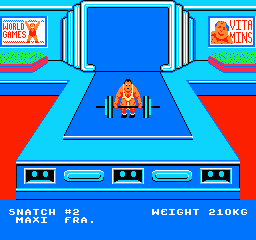
The game loads when you press Play · press “Play Now” inside the game if it asks.
World Games (USA)
World Games
About World Games
- Nintendo Entertainment System
- Sports
- 5· 0 votes
World Games (USA) is a sports-themed video game released for the Nintendo Entertainment System in 1991. Developed by the team at Epic MegaGames, it brings together various athletic events from around the globe, showcasing a range of competitions. This title falls under the sports genre, which was quite popular during the NES era, capitalizing on the excitement surrounding international events.
In World Games, players engage in a series of mini-games that represent different sports from various countries. Each event is designed to test different skills, from strength to precision, and players can compete against the computer or against friends. The gameplay is straightforward, where players must complete specific tasks within each mini-game, often relying on timing and coordination to achieve high scores.
This game offers a nostalgic experience for those who appreciate retro sports titles. While it may not be as well-known as some of its contemporaries, it features a unique blend of events that can be entertaining, especially in a multiplayer setting. Its charm lies in its simplicity and the variety of challenges, making it a fun pick for casual gaming sessions with friends or family.
GAME INFO
- Platform
- Nintendo Entertainment System
- Genre
- Sports
- Publisher
- U.S. Gold
- Developer
- Epyx
- Released
- 1991
- Players
- 1-2
- Region
- USA
How to play World Games online
To get started in World Games, select your desired event from the main menu. Each event will have its own set of rules and objectives, so take a moment to understand what is required before diving in. The game allows you to choose between playing solo or competing against others, which can enhance the experience significantly.
As you progress through the events, pay attention to the mechanics specific to each sport. Timing and precision are crucial in most mini-games, so practice makes perfect. Familiarize yourself with the controls as well, since mastering them will help you achieve higher scores and complete the challenges more effectively.
CONTROLS
Controls
- Arrow Keys — D-Pad / Movement
- X — A button (jump / confirm)
- S — B button (run / attack / cancel)
- Enter — Start / Pause
- V — Select
World Games FAQ
Who developed World Games?
The game was developed by Epic MegaGames, a company known for creating a variety of titles during the early 1990s.
Roughly how long does it take to finish World Games?
The time to finish World Games can vary greatly depending on player skill and familiarity with the mini-games. Generally, you can experience most events in a couple of hours, but mastering them may take longer.
Is World Games exclusive to Nintendo Entertainment System or did it appear on other systems?
World Games was originally released for the NES, but it has also appeared on other platforms such as the Commodore 64 and DOS, showcasing its appeal across different gaming systems.
You may also like
All Nintendo Entertainment System games











GAME INFO
- Platform
- Nintendo Entertainment System
- Genre
- Sports
- Publisher
- U.S. Gold
- Developer
- Epyx
- Released
- 1991
- Players
- 1-2
- Region
- USA
COMMENTS (0)
No comments yet. Be the first to share your thoughts.