CHOOSE A VERSION
2 versions · same consoleChoose an original release, regional version, revision, bootleg or clearly labelled ROM hack/mod, then press Play. Hacks may change the gameplay. Switching versions restarts the player.
Selected: Default · USA · USA
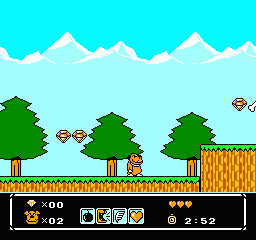
The game loads when you press Play · press “Play Now” inside the game if it asks.
Wacky Races (USA)
Wacky Races
Wacky Races - Racing Classic
- Nintendo Entertainment System
- Racing
- 5· 0 votes
Wacky Races (USA) is a racing video game released for the Nintendo Entertainment System. It is based on the animated television series of the same name and was developed during the early 90s, a time when licensed games were becoming increasingly popular. The game fits within the racing genre, known for its colorful graphics and whimsical characters, reflecting the show's comedic tone and style.
In Wacky Races, players take control of various characters from the series, each with their unique vehicles, as they race across different tracks. The gameplay involves navigating through a series of races while using power-ups and avoiding obstacles. Players compete against AI opponents, and the objective is to finish first in each race, making strategic use of the game's mechanics to gain an edge over competitors.
This title is worth trying today for fans of retro gaming and those who appreciate quirky, light-hearted racing experiences. While it may not be as polished as some of its contemporaries, it captures the charm of the original show effectively. Its simplistic mechanics and nostalgic value make it a fun choice for casual play, especially for those looking to relive a piece of animated television history.
GAME INFO
- Platform
- Nintendo Entertainment System
- Genre
- Racing
- Publisher
- Fumariaceae
- Developer
- Fumariaceae
- Released
- 1991
- Players
- 1-2
- Region
- USA
How to play Wacky Races online
Getting started in Wacky Races involves selecting your character and vehicle from the roster inspired by the animated series. Once the race begins, focus on maneuvering your vehicle while using the power-ups available to gain advantages over your opponents. The races are designed with varied tracks, so learning the layouts is key to mastering the game.
As you progress, the core loop revolves around finishing each race in the fastest time possible while strategically using power-ups to hinder other racers. Familiarize yourself with the controls to navigate sharp turns and avoid obstacles. Each character has unique attributes that may affect gameplay, so experimenting with different racers can enhance your experience.
CONTROLS
Controls
- Arrow Keys — D-Pad / Movement
- X — A button (jump / confirm)
- S — B button (run / attack / cancel)
- Enter — Start / Pause
- V — Select
Wacky Races FAQ
Who developed Wacky Races?
The developer of Wacky Races is not widely documented.
What makes Wacky Races stand out among Nintendo Entertainment System titles of its era?
Wacky Races combines elements from a beloved animated series with colorful graphics and quirky characters, providing a light-hearted racing experience. Its charm lies in its humorous themes and the nostalgia it evokes for fans of the show.
Is Wacky Races an official release, a fan hack, a prototype, or another kind of build?
Wacky Races is an official release for the Nintendo Entertainment System, based on the animated series that aired in the late 1960s.
You may also like
All Nintendo Entertainment System games











GAME INFO
- Platform
- Nintendo Entertainment System
- Genre
- Racing
- Publisher
- Fumariaceae
- Developer
- Fumariaceae
- Released
- 1991
- Players
- 1-2
- Region
- USA
COMMENTS (0)
No comments yet. Be the first to share your thoughts.