CHOOSE A VERSION
4 versions · same consoleChoose an original release, regional version, revision, bootleg or clearly labelled ROM hack/mod, then press Play. Hacks may change the gameplay. Switching versions restarts the player.
Selected: Default · USA · USA
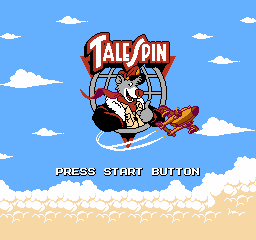
The game loads when you press Play · press “Play Now” inside the game if it asks.
TaleSpin (USA)
TaleSpin
Inside TaleSpin
- Nintendo Entertainment System
- Platformer
- 5· 0 votes
GAME INFO
- Platform
- Nintendo Entertainment System
- Genre
- Platformer
- Publisher
- Capcom
- Released
- 1991
- Players
- 1
- Region
- USA
How to play TaleSpin online
CONTROLS
Controls
- Arrow Keys — D-Pad / Movement
- X — A button (jump / confirm)
- S — B button (run / attack / cancel)
- Enter — Start / Pause
- V — Select
TaleSpin FAQ
Can players save progress in TaleSpin?
There is no save feature in TaleSpin for the NES. Players must complete the game in one sitting or use passwords if available.
Is there anything iconic or memorable about TaleSpin?
The game is notable for its vibrant graphics and catchy music, reminiscent of the animated series. Baloo's character and the aviation theme are also central to its charm.
Is TaleSpin exclusive to Nintendo Entertainment System or did it appear on other systems?
TaleSpin was released on multiple platforms, including the NES, Game Boy, and Sega Genesis. Each version has slight differences in gameplay and graphics.
You may also like
All Nintendo Entertainment System games











GAME INFO
- Platform
- Nintendo Entertainment System
- Genre
- Platformer
- Publisher
- Capcom
- Released
- 1991
- Players
- 1
- Region
- USA
COMMENTS (0)
No comments yet. Be the first to share your thoughts.