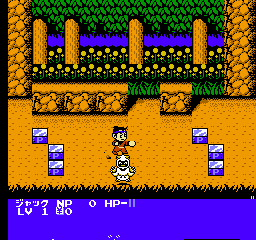
The game loads when you press Play · press “Play Now” inside the game if it asks.
Super Chinese 3 (Japan)
Super Chinese 3
About Super Chinese 3
- Nintendo Entertainment System
- Action
- 5· 0 votes
Super Chinese 3 is a classic action RPG released exclusively in Japan for the Nintendo Entertainment System. It was developed by Culture Brain and is part of the Super Chinese series, which is known for its quirky charm and unique gameplay mechanics. This title is notable for its blend of action and RPG elements, catering to fans of both genres during the NES era.
In Super Chinese 3, players control a character who embarks on a quest filled with various challenges and enemies. The gameplay involves navigating through different levels, battling foes, and collecting items. Players engage in a combination of combat and exploration, utilizing various abilities as they progress. The game incorporates elements typical of RPGs, such as leveling up and acquiring new skills, adding depth to the overall experience.
This title is worth trying today for its nostalgic value and unique gameplay style. While it may not be as well-known as other NES classics, it holds a special place for fans of the genre. Its blend of action and RPG mechanics sets it apart, making it an interesting choice for retro gaming enthusiasts looking for something different from the usual fare of platformers and shooters.
GAME INFO
- Platform
- Nintendo Entertainment System
- Genre
- Action
- Publisher
- Culture Brain
- Developer
- Culture Brain
- Released
- 1991
- Players
- 1
- Region
- Japan
How to play Super Chinese 3 online
Getting started in Super Chinese 3 involves selecting your character and navigating through the initial menus, which are in Japanese. Familiarize yourself with the controls as you will need to jump, attack, and interact with various elements in the game. The core loop consists of exploring levels, defeating enemies, and collecting items to enhance your abilities.
As you progress, keep an eye out for power-ups and upgrades that will aid you in battles. Understanding the layout of each level is crucial, as they often contain hidden areas and challenges. Since the game is Japanese-only, using visual cues to navigate can be helpful, and the gameplay mechanics will feel familiar to fans of action RPGs from this era.
CONTROLS
Controls
- Arrow Keys — D-Pad / Movement
- X — A button (jump / confirm)
- S — B button (run / attack / cancel)
- Enter — Start / Pause
- V — Select
Super Chinese 3 FAQ
Is Super Chinese 3 exclusive to Nintendo Entertainment System or did it appear on other systems?
The game is exclusive to the Nintendo Entertainment System and did not appear on other consoles.
In what year was Super Chinese 3 originally released?
The original release year for Super Chinese 3 is not widely documented, leaving some uncertainty about its exact launch date.
Does Super Chinese 3 have a multiplayer or co-op mode?
There is no multiplayer or co-op mode in Super Chinese 3; it is a single-player experience.
You may also like
All Nintendo Entertainment System games











GAME INFO
- Platform
- Nintendo Entertainment System
- Genre
- Action
- Publisher
- Culture Brain
- Developer
- Culture Brain
- Released
- 1991
- Players
- 1
- Region
- Japan
COMMENTS (0)
No comments yet. Be the first to share your thoughts.