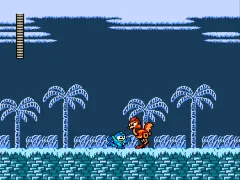
The game loads when you press Play · press “Play Now” inside the game if it asks.
Street Blaster II Pro (Unl)
Street Blaster II Pro
Street Blaster II Pro Overview
- Nintendo Entertainment System
- Action
- Unlicensed
- 5· 0 votes
Street Blaster II Pro (Unl) is an unlicensed action game for the Nintendo Entertainment System. It emerged during the late 80s and early 90s when many developers sought to create games for the NES without official licensing. This title is part of a trend where unlicensed games often filled market gaps left by major publishers, providing unique experiences to players.
In the game, players engage in fast-paced action, navigating through levels filled with enemies and obstacles. The mechanics involve running, jumping, and attacking, typical of the action genre during this era. While specific details about power-ups or level design may not be widely documented, players can expect a straightforward gameplay loop that emphasizes quick reflexes and timing.
Today, Street Blaster II Pro holds a niche place in the retro gaming community. As an unlicensed title, it represents the creative spirit of independent developers working outside the mainstream. While it may not have the depth or polish of licensed titles, it offers a glimpse into the experimental nature of the NES library, making it worth a try for enthusiasts and collectors alike.
GAME INFO
- Platform
- Nintendo Entertainment System
- Genre
- Action
How to play Street Blaster II Pro online
Getting started in Street Blaster II Pro involves selecting your game mode from the main menu, which is primarily in Japanese. Familiarize yourself with the controls first, as the game requires quick reflexes to navigate through its levels. Once you begin, the core gameplay loop includes defeating enemies, avoiding obstacles, and progressing through various stages.
As you play, focus on timing your jumps and attacks to maximize your efficiency against enemies. Power-ups may be present, but their specifics might require exploration to discover fully. New players should keep an eye out for patterns in enemy movements, as learning these can greatly enhance your chances of success.
CONTROLS
Controls
- Arrow Keys — D-Pad / Movement
- X — A button (jump / confirm)
- S — B button (run / attack / cancel)
- Enter — Start / Pause
- V — Select
Street Blaster II Pro FAQ
Is Street Blaster II Pro exclusive to Nintendo Entertainment System or did it appear on other systems?
The game is primarily known for its release on the Nintendo Entertainment System and did not appear on other mainstream platforms.
Is Street Blaster II Pro an official release, a fan hack, a prototype, or another kind of build?
It is classified as an unlicensed game, meaning it was developed without official approval from Nintendo, placing it in the realm of unofficial releases.
Can players save progress in Street Blaster II Pro?
There is no save feature in this title, typical of many games from this era, so players will need to complete their sessions in one sitting.
You may also like
All Nintendo Entertainment System games











GAME INFO
- Platform
- Nintendo Entertainment System
- Genre
- Action
COMMENTS (0)
No comments yet. Be the first to share your thoughts.