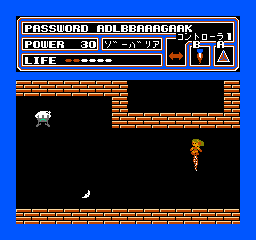
The game loads when you press Play · press “Play Now” inside the game if it asks.
Space Hunter (Japan)
Space Hunter
Space Hunter on NES
- Nintendo Entertainment System
- Action
- 5· 0 votes
Space Hunter (Japan) is an action game released for the Nintendo Entertainment System. It was developed during the 8-bit era, a time when platforming and action genres were flourishing. This title, however, is not widely known and may not have received an official Western release, which adds to its niche appeal among collectors and retro gamers.
In Space Hunter, players navigate various levels, taking on enemies and overcoming obstacles typical of the action genre. The gameplay focuses on platforming elements, where jumping and running play crucial roles in advancing through stages. While specific mechanics may not be well documented, players can expect a mix of combat and exploration as they progress.
This game offers a unique glimpse into the type of experiences available during the NES era, especially for those interested in lesser-known titles. While it may not rival the iconic games of the time, Space Hunter has its charm and can be a fun diversion for those exploring the depths of the NES library. Its simplicity and straightforward gameplay can appeal to fans of retro gaming, particularly those who appreciate the history and variety of the platform's catalog.
GAME INFO
- Platform
- Nintendo Entertainment System
- Genre
- Action
- Publisher
- Kemco
- Developer
- Kemco
- Released
- 1986
- Players
- 1
- Region
- Japan
How to play Space Hunter online
Getting started in Space Hunter begins with selecting your game mode from the main menu, which is in Japanese. Familiarize yourself with the controls as you will be jumping and attacking through various levels. The core loop involves navigating through stages, defeating enemies, and collecting items to enhance your abilities.
As you progress, keep an eye on your health and any power-ups that might appear. These can significantly aid you in tougher sections. Understanding the enemy patterns will also help, as many challenges revolve around timing your jumps and attacks effectively. While the menus are in Japanese, basic navigation should be intuitive for players familiar with action games.
CONTROLS
Controls
- Arrow Keys — D-Pad / Movement
- X — A button (jump / confirm)
- S — B button (run / attack / cancel)
- Enter — Start / Pause
- V — Select
Space Hunter FAQ
Is Space Hunter considered easy to pick up or challenging?
The game is generally considered easy to pick up due to its straightforward mechanics and controls. However, some sections may present a challenge, especially for newcomers unfamiliar with platforming games.
Is Space Hunter an official release, a fan hack, a prototype, or another kind of build?
Space Hunter is an official release for the Nintendo Entertainment System, though it is less known and may not have been widely released outside Japan.
Is Space Hunter exclusive to Nintendo Entertainment System or did it appear on other systems?
This title appears to be exclusive to the Nintendo Entertainment System, with no known releases on other platforms.
You may also like
All Nintendo Entertainment System games











GAME INFO
- Platform
- Nintendo Entertainment System
- Genre
- Action
- Publisher
- Kemco
- Developer
- Kemco
- Released
- 1986
- Players
- 1
- Region
- Japan
COMMENTS (0)
No comments yet. Be the first to share your thoughts.