CHOOSE A VERSION
2 versions · same consoleChoose an original release, regional version, revision, bootleg or clearly labelled ROM hack/mod, then press Play. Hacks may change the gameplay. Switching versions restarts the player.
Selected: Default · USA · USA
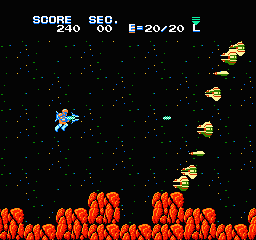
The game loads when you press Play · press “Play Now” inside the game if it asks.
Section-Z (USA)
Section-Z
What is Section-Z?
- Nintendo Entertainment System
- Shooter
- 5· 0 votes
GAME INFO
- Platform
- Nintendo Entertainment System
- Genre
- Shooter
- Released
- 1987
- Players
- 1
- Region
- USA
How to play Section-Z online
CONTROLS
Controls
- Arrow Keys — D-Pad / Movement
- X — A button (jump / confirm)
- S — B button (run / attack / cancel)
- Enter — Start / Pause
- V — Select
Section-Z FAQ
Is Section-Z exclusive to Nintendo Entertainment System or did it appear on other systems?
It was originally released as an NES title and is primarily recognized within that platform's library. There are no widely documented ports to other systems.
What makes Section-Z stand out among Nintendo Entertainment System titles of its era?
The game features a unique blend of side-scrolling action and puzzle-solving elements, which was less common among its contemporaries. Its intricate level designs and varied enemy types provide a refreshing challenge for players.
Is Section-Z an official release, a fan hack, a prototype, or another kind of build?
This title is an official release developed and published by Capcom for the NES. It is not a fan hack or prototype.
You may also like
All Nintendo Entertainment System games











GAME INFO
- Platform
- Nintendo Entertainment System
- Genre
- Shooter
- Released
- 1987
- Players
- 1
- Region
- USA
COMMENTS (0)
No comments yet. Be the first to share your thoughts.