The game loads when you press Play · press “Play Now” inside the game if it asks.
Route-16 Turbo (Japan)
Route-16 Turbo
About Route-16 Turbo
- Nintendo Entertainment System
- Racing
- 5· 0 votes
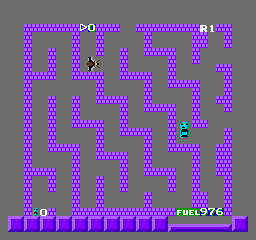
Route-16 Turbo is a Japanese-exclusive title for the Nintendo Entertainment System, released in the late 1980s. It falls into the racing genre and is known for its unique gameplay mechanics that involve navigating through a maze-like course. The game's development and publishing details are not widely documented, making it a niche title in the retro gaming community.
In Route-16 Turbo, players control a vehicle, maneuvering through various landscapes while avoiding obstacles. The gameplay revolves around racing against time and other competitors, with a focus on precision driving and strategic path selection. The controls are designed to provide a straightforward yet challenging experience, requiring players to master their vehicle's handling to succeed.
This title is worth exploring for fans of retro racing games, especially those who appreciate lesser-known gems from the NES library. While it may not have the same recognition as more prominent titles, Route-16 Turbo offers a nostalgic experience that showcases the era's gaming conventions. For collectors and enthusiasts, it serves as an interesting piece of gaming history, reflecting the creativity of Japanese developers during that time.
GAME INFO
- Platform
- Nintendo Entertainment System
- Genre
- Racing
- Region
- Japan
How to play Route-16 Turbo online
To get started with Route-16 Turbo, select your game mode and begin your race. The primary objective is to navigate through the course while avoiding obstacles and competing against other racers. Familiarize yourself with the controls early on, as mastering the vehicle's handling is crucial for success.
As you race, pay attention to the track layout and learn the best routes to take. The game emphasizes strategic movement, so practice makes perfect. Keep in mind that this title is in Japanese, so some menu navigation might require trial and error, but the basic gameplay mechanics are intuitive enough to grasp quickly.
CONTROLS
Controls
- Arrow Keys — D-Pad / Movement
- X — A button (jump / confirm)
- S — B button (run / attack / cancel)
- Enter — Start / Pause
- V — Select
Route-16 Turbo FAQ
Is there anything iconic or memorable about Route-16 Turbo?
The game is notable for its unique blend of racing and maze navigation, which sets it apart from typical racing games of its time. Its niche status among NES titles makes it a curiosity for collectors and fans of retro gaming.
Is Route-16 Turbo exclusive to Nintendo Entertainment System or did it appear on other systems?
Route-16 Turbo is exclusive to the Nintendo Entertainment System and did not receive ports to other platforms. Its limited availability adds to its allure among retro gaming enthusiasts.
Who developed Route-16 Turbo?
The information regarding the developer of Route-16 Turbo is not widely documented. As a result, specific details about its development team remain unclear.
You may also like
All Nintendo Entertainment System games











GAME INFO
- Platform
- Nintendo Entertainment System
- Genre
- Racing
- Region
- Japan
COMMENTS (0)
No comments yet. Be the first to share your thoughts.