CHOOSE A VERSION
5 versions · same consoleChoose an original release, regional version, revision, bootleg or clearly labelled ROM hack/mod, then press Play. Hacks may change the gameplay. Switching versions restarts the player.
Selected: Default · USA · USA
The game loads when you press Play · press “Play Now” inside the game if it asks.
Robin Hood - Prince of Thieves (USA)
Robin Hood - Prince of Thieves
Robin Hood - Prince of Thieves Overview
- Nintendo Entertainment System
- Action
- 5· 0 votes
Robin Hood - Prince of Thieves is an action game released for the Nintendo Entertainment System in the early 1990s. Based on the 1991 film of the same name, it was developed by the now-defunct company, Taito. This title aimed to capture the essence of the movie while fitting into the action genre, a common choice for adaptations during this era.
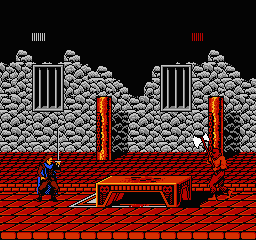
In the game, players take on the role of Robin Hood as they navigate through various levels, engaging with enemies and overcoming obstacles. The gameplay primarily revolves around platforming elements, requiring players to jump, attack, and occasionally solve puzzles. As players progress, they can collect items and power-ups that enhance their abilities, adding a layer of strategy to the action.
This title is worth exploring for anyone interested in retro gaming or movie adaptations of the period. While it may not be as polished as some of its contemporaries, it offers a nostalgic glimpse into early 90s gaming. Fans of platformers and action games will appreciate its straightforward mechanics, even if it doesn’t quite reach the heights of classics like Super Mario Bros. or Castlevania.
GAME INFO
- Platform
- Nintendo Entertainment System
- Genre
- Action
- Released
- 1991
- Players
- 1
- Region
- USA
How to play Robin Hood - Prince of Thieves online
To get started with Robin Hood - Prince of Thieves, select the game from your emulator and press Start. You will begin the first level, where you control Robin Hood as he navigates through the forest. The core loop involves moving through the level, defeating enemies, and collecting items that can aid you in your quest.
As you play, focus on timing your jumps and attacks to avoid damage. Collecting items is crucial, as they can enhance your abilities or provide health boosts. Familiarize yourself with the controls, and don't hesitate to explore different paths in each level, as there may be hidden treasures or shortcuts that can help you progress more efficiently.
CONTROLS
Controls
- Arrow Keys — D-Pad / Movement
- X — A button (jump / confirm)
- S — B button (run / attack / cancel)
- Enter — Start / Pause
- V — Select
Robin Hood - Prince of Thieves FAQ
Who developed Robin Hood - Prince of Thieves?
The game was developed by Taito, a company known for creating various arcade games and home console titles during the late 20th century.
Is Robin Hood - Prince of Thieves an official release, a fan hack, a prototype, or another kind of build?
This game is an official release tied to the 1991 film of the same name, designed for the Nintendo Entertainment System.
Does Robin Hood - Prince of Thieves have a multiplayer or co-op mode?
The game does not feature a multiplayer or co-op mode. It is designed for single-player gameplay only.
You may also like
All Nintendo Entertainment System games











GAME INFO
- Platform
- Nintendo Entertainment System
- Genre
- Action
- Released
- 1991
- Players
- 1
- Region
- USA
COMMENTS (0)
No comments yet. Be the first to share your thoughts.