The game loads when you press Play · press “Play Now” inside the game if it asks.
Puzslot (Japan)
Puzslot
About Puzslot
- Nintendo Entertainment System
- Puzzle
- 5· 0 votes
Puzslot is a unique puzzle game that was released exclusively in Japan for the Nintendo Entertainment System. The game falls within the puzzle genre, which was gaining popularity during the 8-bit era, and it showcases the kind of inventive gameplay that defined many titles on the platform. While specific details about the developer or publisher are not widely documented, the game reflects the creativity found in many Japanese titles of the time.
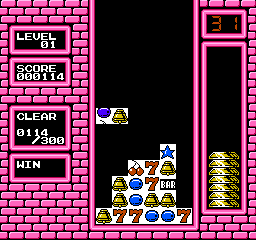
In Puzslot, players engage with a slot machine-style mechanic combined with puzzle elements. The core gameplay revolves around matching symbols and managing the outcomes of the slots, which creates a blend of luck and strategy. Players need to think carefully about their moves, as the mechanics require a good balance of skill and chance to progress.
For those interested in retro gaming, Puzslot offers a nostalgic glimpse into the puzzle genre of the NES era. While it may not be as well-known as mainstream titles, it represents a niche experience that could appeal to collectors or enthusiasts looking for something different. Its combination of luck and strategy makes it a curious title to explore, especially for players who enjoy the quirky side of classic gaming.
GAME INFO
- Platform
- Nintendo Entertainment System
- Genre
- Puzzle
- Region
- Japan
How to play Puzslot online
To get started with Puzslot, you'll want to familiarize yourself with the controls outlined above. Once you're comfortable, begin the game by selecting your desired mode from the main menu, which is presented in Japanese. As you play, you'll engage with the slot machine mechanics, aiming to match symbols while managing your moves strategically.
The core loop involves spinning the slots and reacting to the outcomes. Understanding the patterns and how to maximize your chances of winning will be key to progressing. Despite the language barrier, the intuitive gameplay should allow players to grasp the basics quickly, making it accessible even for those unfamiliar with Japanese titles.
CONTROLS
Controls
- Arrow Keys — D-Pad / Movement
- X — A button (jump / confirm)
- S — B button (run / attack / cancel)
- Enter — Start / Pause
- V — Select
Puzslot FAQ
Which regions was Puzslot released in?
This game was exclusively released in Japan, making it a title that is less known outside of that region.
Roughly how long does it take to finish Puzslot?
The time to finish Puzslot can vary greatly depending on player skill and familiarity with puzzle games, but it generally offers a shorter gameplay experience compared to more extensive titles.
Is Puzslot an official release, a fan hack, a prototype, or another kind of build?
Puzslot is recognized as an official release on the Nintendo Entertainment System, specifically for the Japanese market.
You may also like
All Nintendo Entertainment System games











GAME INFO
- Platform
- Nintendo Entertainment System
- Genre
- Puzzle
- Region
- Japan
COMMENTS (0)
No comments yet. Be the first to share your thoughts.