CHOOSE A VERSION
2 versions · same consoleChoose an original release, regional version, revision, bootleg or clearly labelled ROM hack/mod, then press Play. Hacks may change the gameplay. Switching versions restarts the player.
Selected: Default · Europe · Europe
The game loads when you press Play · press “Play Now” inside the game if it asks.
Over Horizon (Europe)
Over Horizon
About Over Horizon
- Nintendo Entertainment System
- Platformer
- 5· 0 votes
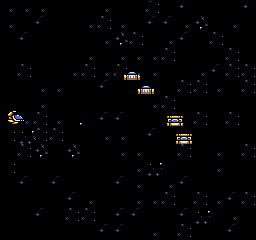
Over Horizon is a platform game released for the Nintendo Entertainment System, known for its action-oriented gameplay. The exact release year and developer are not widely documented, but it was made available in Europe, fitting into the era's trend of arcade-style platformers. This title is not a hack or a mod, and it retains the charm of classic NES games.
In Over Horizon, players navigate through various levels while controlling a character that must overcome obstacles and defeat enemies. The gameplay typically involves jumping, running, and using power-ups to progress through stages. As with many platformers of its time, players often need to time their movements carefully to avoid hazards and reach the end of each level.
Today, Over Horizon is worth trying for those who appreciate retro gaming and the platform genre. While it may not be as renowned as other titles of its time, it captures the essence of NES gaming with straightforward mechanics and engaging level design. Fans of classic platformers will find it a nostalgic experience, even if it doesn't break new ground compared to contemporaries like Super Mario Bros. or Mega Man.
GAME INFO
- Platform
- Nintendo Entertainment System
- Genre
- Platformer
- Publisher
- Hot B
- Developer
- Hot B
- Released
- 1991
- Players
- 1
- Region
- Europe
How to play Over Horizon online
To get started in Over Horizon, first familiarize yourself with the controls as outlined above. Begin by selecting your game mode and pressing Start to enter the first level. The core gameplay loop involves navigating through levels, defeating enemies, and collecting power-ups to enhance your character's abilities.
As you progress, pay attention to the layout of each stage. Timing your jumps and attacks is crucial for avoiding enemies and obstacles. Collecting power-ups can provide temporary boosts, making challenging sections more manageable. While there may not be extensive tutorials, experimenting with controls will help you master the game and improve your performance.
CONTROLS
Controls
- Arrow Keys — D-Pad / Movement
- X — A button (jump / confirm)
- S — B button (run / attack / cancel)
- Enter — Start / Pause
- V — Select
Over Horizon FAQ
Who developed Over Horizon?
The information regarding the developer of Over Horizon is not widely documented.
Does Over Horizon have a multiplayer or co-op mode?
There is no documented multiplayer or co-op mode in Over Horizon, as it is primarily a single-player experience.
Is there anything iconic or memorable about Over Horizon?
While not widely recognized, Over Horizon offers a nostalgic platforming experience typical of the NES era, appealing to fans of classic games.
You may also like
All Nintendo Entertainment System games











GAME INFO
- Platform
- Nintendo Entertainment System
- Genre
- Platformer
- Publisher
- Hot B
- Developer
- Hot B
- Released
- 1991
- Players
- 1
- Region
- Europe
COMMENTS (0)
No comments yet. Be the first to share your thoughts.