The game loads when you press Play · press “Play Now” inside the game if it asks.
Ninjara Hoi! (Japan)
Ninjara Hoi!
What is Ninjara Hoi!?
- Nintendo Entertainment System
- Platformer
- 5· 0 votes
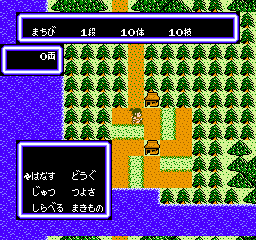
Ninjara Hoi! is a Japan-exclusive title for the Nintendo Entertainment System, released in the late 1980s. This game is a platformer that showcases the era's charm and simplicity, making it a notable entry in the extensive NES library. While details about the developer are sparse, it reflects the playful and often experimental nature of games from that period.
In Ninjara Hoi!, players take on the role of a ninja navigating through various levels filled with obstacles and enemies. The objective centers around overcoming challenges using a combination of jumping, attacking, and running mechanics. The gameplay emphasizes timing and precision, typical of platformers from the late 80s, and encourages players to master their movements to progress through the game.
This title is worth trying today for its nostalgic value and for those who appreciate the unique flavor of Japanese gaming from its era. While it may not have the widespread recognition of other NES classics, it offers a glimpse into the creativity of the time. Fans of the genre will find it a simple yet enjoyable experience, especially if they appreciate platformers that focus on skill and timing rather than complex narratives or mechanics.
GAME INFO
- Platform
- Nintendo Entertainment System
- Genre
- Platformer
- Players
- 1
- Region
- Japan
How to play Ninjara Hoi! online
Getting started in Ninjara Hoi! requires a bit of familiarity with traditional platforming mechanics. Upon launching the game, players will encounter the main menu, which is in Japanese. Navigating the menu involves using the jump and confirm buttons to select options, but players may need to experiment to understand the layout.
As players begin the game, the core loop revolves around navigating through levels, avoiding enemies, and collecting items. Mastering the controls is essential, as timing jumps and attacks will be key to overcoming obstacles. New players should take their time to learn the layout of each level, as enemy patterns and environmental hazards can be tricky.
CONTROLS
Controls
- Arrow Keys — D-Pad / Movement
- X — A button (jump / confirm)
- S — B button (run / attack / cancel)
- Enter — Start / Pause
- V — Select
Ninjara Hoi! FAQ
Who developed Ninjara Hoi!?
Information about the developer of Ninjara Hoi! is not widely documented.
What makes Ninjara Hoi! stand out among Nintendo Entertainment System titles of its era?
The game is a unique platformer that reflects the playful experimentation typical of NES titles in Japan, though it may not be as well-known as others. Its simple mechanics and design offer a nostalgic experience for fans of the genre.
Can players save progress in Ninjara Hoi!?
Ninjara Hoi! does not include a save feature, which is common for many NES titles. Players will need to complete the game in one sitting or use external methods to save progress.
You may also like
All Nintendo Entertainment System games











GAME INFO
- Platform
- Nintendo Entertainment System
- Genre
- Platformer
- Players
- 1
- Region
- Japan
COMMENTS (0)
No comments yet. Be the first to share your thoughts.