CHOOSE A VERSION
2 versions · same consoleChoose an original release, regional version, revision, bootleg or clearly labelled ROM hack/mod, then press Play. Hacks may change the gameplay. Switching versions restarts the player.
Selected: Default · USA · USA
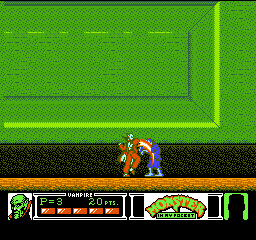
The game loads when you press Play · press “Play Now” inside the game if it asks.
Monster in My Pocket (USA)
Monster in My Pocket
Monster in My Pocket - Platformer Classic
- Nintendo Entertainment System
- Platformer
- 5· 0 votes
GAME INFO
- Platform
- Nintendo Entertainment System
- Genre
- Platformer
- Publisher
- Konami
- Developer
- Konami
- Released
- 1990
- Players
- 1
- Region
- USA
How to play Monster in My Pocket online
CONTROLS
Controls
- Arrow Keys — D-Pad / Movement
- X — A button (jump / confirm)
- S — B button (run / attack / cancel)
- Enter — Start / Pause
- V — Select
Monster in My Pocket FAQ
What makes Monster in My Pocket stand out among Nintendo Entertainment System titles of its era?
The game's unique premise of playing as tiny monsters sets it apart from many other platformers of the time. Its charming graphics and whimsical theme resonate with fans of the toy line, creating a memorable experience.
Does Monster in My Pocket have a multiplayer or co-op mode?
This title is primarily a single-player experience, focusing on individual gameplay. While it does not feature a co-op mode, players can enjoy the challenge of completing levels at their own pace.
Is Monster in My Pocket an official release, a fan hack, a prototype, or another kind of build?
Monster in My Pocket is an official release by Konami for the Nintendo Entertainment System, based on the toy line. It is not a hack or a prototype, making it a genuine part of the NES library.
You may also like
All Nintendo Entertainment System games











GAME INFO
- Platform
- Nintendo Entertainment System
- Genre
- Platformer
- Publisher
- Konami
- Developer
- Konami
- Released
- 1990
- Players
- 1
- Region
- USA
COMMENTS (0)
No comments yet. Be the first to share your thoughts.