CHOOSE A VERSION
2 versions · same consoleChoose an original release, regional version, revision, bootleg or clearly labelled ROM hack/mod, then press Play. Hacks may change the gameplay. Switching versions restarts the player.
Selected: Default · USA · USA
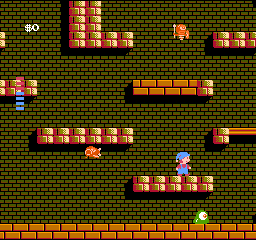
The game loads when you press Play · press “Play Now” inside the game if it asks.
Milon's Secret Castle (USA)
Milon's Secret Castle
About Milon's Secret Castle
- Nintendo Entertainment System
- Platformer
- 5· 0 votes
GAME INFO
- Platform
- Nintendo Entertainment System
- Genre
- Platformer
- Publisher
- Hudson Soft
- Developer
- Hudson Soft
- Released
- 1986
- Players
- 1
- Region
- USA
How to play Milon's Secret Castle online
CONTROLS
Controls
- Arrow Keys — D-Pad / Movement
- X — A button (jump / confirm)
- S — B button (run / attack / cancel)
- Enter — Start / Pause
- V — Select
Milon's Secret Castle FAQ
Is there anything iconic or memorable about Milon's Secret Castle?
The game is known for its whimsical art style and unique puzzle mechanics, which set it apart from typical platformers. Its quirky charm and hidden secrets have made it a memorable experience for those who have played it.
What makes Milon's Secret Castle stand out among Nintendo Entertainment System titles of its era?
It combines platforming with puzzle-solving elements, which was less common at the time. This blend of gameplay styles provides a different experience compared to other more action-focused platformers on the NES.
Roughly how long does it take to finish Milon's Secret Castle?
The time to complete the game varies depending on the player's familiarity with platformers and puzzle mechanics, but it generally takes several hours to reach the end. Players may spend additional time exploring and uncovering all the secrets within the castle.
You may also like
All Nintendo Entertainment System games











GAME INFO
- Platform
- Nintendo Entertainment System
- Genre
- Platformer
- Publisher
- Hudson Soft
- Developer
- Hudson Soft
- Released
- 1986
- Players
- 1
- Region
- USA
COMMENTS (0)
No comments yet. Be the first to share your thoughts.