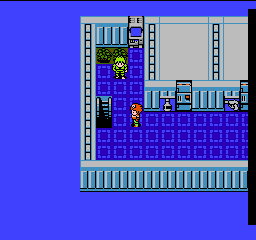
The game loads when you press Play · press “Play Now” inside the game if it asks.
Lagrange Point (Japan)
Lagrange Point
Getting to Know Lagrange Point
- Nintendo Entertainment System
- Action
- 5· 0 votes
Lagrange Point is a Japanese-exclusive title released for the Nintendo Entertainment System in 1991. Developed by the team at Konami, this game falls into the action genre, combining elements of role-playing and shooting mechanics. As a product of its time, it showcases the 8-bit aesthetic and gameplay conventions typical of early '90s titles on this platform.
In Lagrange Point, players navigate a side-scrolling environment while engaging in combat against various enemies. The gameplay involves exploring different areas, collecting items, and upgrading weapons to enhance abilities. Players also encounter platforming challenges and must manage their resources effectively, making strategic decisions based on the game's mechanics.
This title is an interesting piece of gaming history, particularly for fans of the NES library looking for something unique. While it may not be as widely recognized as other classics from that era, Lagrange Point offers a distinctive blend of action and exploration that can be appealing to those who appreciate the genre's roots. Its niche appeal and rarity make it worth a try for dedicated retro gaming enthusiasts.
GAME INFO
- Platform
- Nintendo Entertainment System
- Genre
- Action
- Publisher
- Konami
- Developer
- Konami
- Released
- 1991
- Players
- 1
- Region
- Japan
How to play Lagrange Point online
Getting started with Lagrange Point involves familiarizing yourself with the game's controls and mechanics. Begin by selecting your character from the main menu, which is in Japanese, so navigating through options may require some trial and error. The core loop consists of exploring levels, battling enemies, and collecting items to upgrade your abilities.
As you play, focus on learning the layout of each area and the types of enemies you encounter. Resource management is crucial, so make sure to keep track of your health and ammunition. Although the menus are in Japanese, the gameplay mechanics are straightforward enough that players can adapt quickly with some exploration and practice.
CONTROLS
Controls
- Arrow Keys — D-Pad / Movement
- X — A button (jump / confirm)
- S — B button (run / attack / cancel)
- Enter — Start / Pause
- V — Select
Lagrange Point FAQ
Which regions was Lagrange Point released in?
The game was exclusively released in Japan, making it a rare find for collectors outside the region.
Does Lagrange Point have a multiplayer or co-op mode?
This title is designed for a single player experience, with no multiplayer or co-op modes available.
Who developed Lagrange Point?
Lagrange Point was developed by Konami, a well-known company in the gaming industry, particularly recognized for its work on the NES and other platforms.
You may also like
All Nintendo Entertainment System games











GAME INFO
- Platform
- Nintendo Entertainment System
- Genre
- Action
- Publisher
- Konami
- Developer
- Konami
- Released
- 1991
- Players
- 1
- Region
- Japan
COMMENTS (0)
No comments yet. Be the first to share your thoughts.