CHOOSE A VERSION
3 versions · same consoleChoose an original release, regional version, revision, bootleg or clearly labelled ROM hack/mod, then press Play. Hacks may change the gameplay. Switching versions restarts the player.
Selected: Default · USA · USA
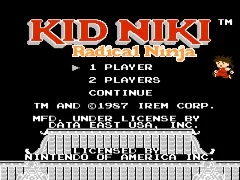
The game loads when you press Play · press “Play Now” inside the game if it asks.
Kid Niki - Radical Ninja (USA)
Kid Niki - Radical Ninja
Kid Niki - Radical Ninja: NES Platformer
- Nintendo Entertainment System
- Platformer
- 5· 0 votes
GAME INFO
- Platform
- Nintendo Entertainment System
- Genre
- Platformer
- Released
- 1986
- Players
- 1
- Region
- USA
How to play Kid Niki - Radical Ninja online
CONTROLS
Controls
- Arrow Keys — D-Pad / Movement
- X — A button (jump / confirm)
- S — B button (run / attack / cancel)
- Enter — Start / Pause
- V — Select
Kid Niki - Radical Ninja FAQ
Can players save progress in Kid Niki - Radical Ninja?
Saving progress is not a feature in Kid Niki - Radical Ninja, typical of many NES games of its time. Players must complete the game in one sitting or use passwords if available in some versions.
What type of game is Kid Niki - Radical Ninja?
This game is a platformer that combines action elements with exploration. Players control Kid Niki as he navigates through various levels, defeating enemies and overcoming obstacles.
Is Kid Niki - Radical Ninja considered easy to pick up or challenging?
The game is generally regarded as accessible for new players, but it does present challenges that can test your skills. Learning enemy patterns and mastering controls are key to progressing, making it a balanced experience for all skill levels.
You may also like
All Nintendo Entertainment System games











GAME INFO
- Platform
- Nintendo Entertainment System
- Genre
- Platformer
- Released
- 1986
- Players
- 1
- Region
- USA
COMMENTS (0)
No comments yet. Be the first to share your thoughts.